
LinkedIn Patches is a satisfying visual logic puzzle where you must fill the entire grid with shapes. Each outlined region needs to be completely filled by a single shape—either a square, a tall rectangle, or a wide rectangle, depending on the clue. Pay close attention to any numbers within a region, as they dictate the exact size (number of cells) the shape must be. If you find yourself with a tricky layout or just want to check your answer, the complete solution for today’s puzzle is provided below.
Also, ensure you Bookmark this page, so you can solve the next Patches solution! Also, don’t forget to check out our LinkedIn Crossclimb, Queens, Tango, Pinpoint, Zip, Mini Sudoku, and Wend coverage.
Today’s LinkedIn Patches Answer
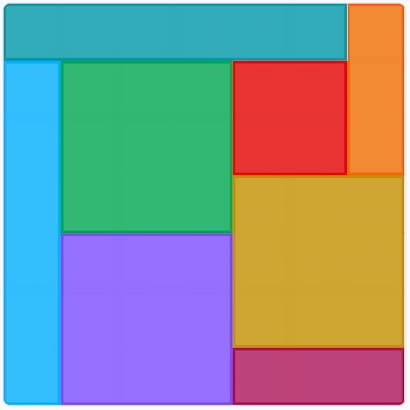
The correct shapes for October 11, 2026 – #208 Patches are below.
Yesterday’s LinkedIn Patches Answer
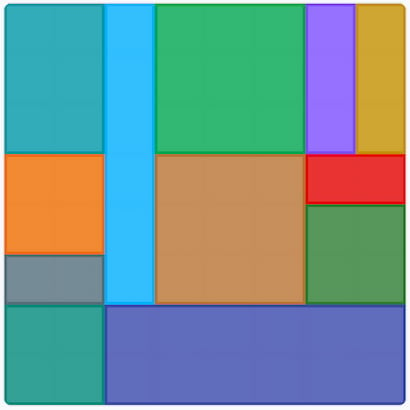
The correct shapes for October 10, 2026 – #207 Patches are below.
LinkedIn Patches Answer History List
LinkedIn Patches October 2026 Answer History List
October 9, 2026 – #206
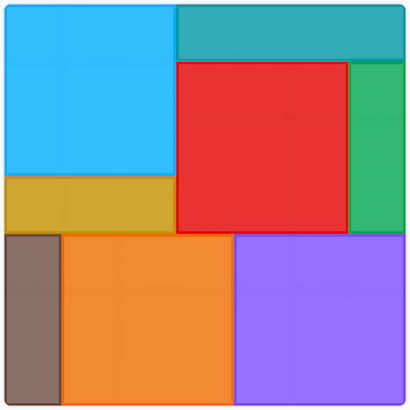
October 8, 2026 – #205
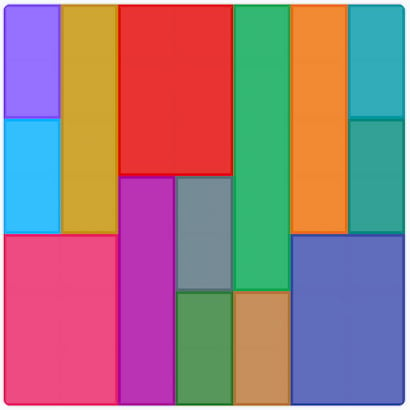
October 7, 2026 – #204
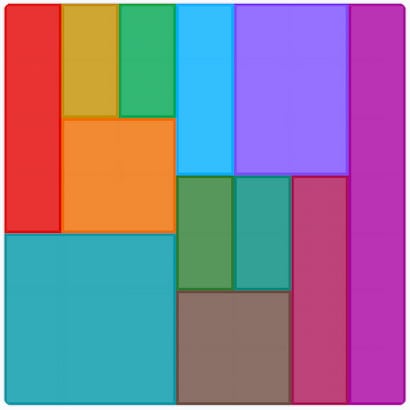
October 6, 2026 – #203
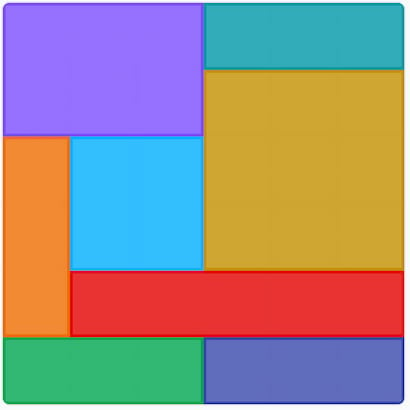
October 5, 2026 – #202
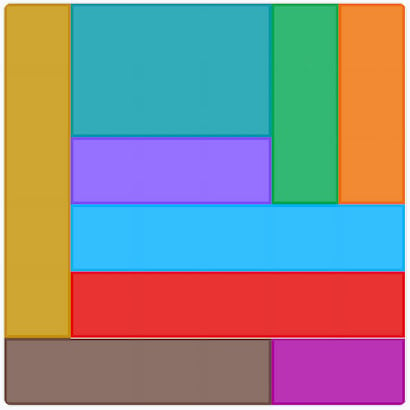
October 4, 2026 – #201
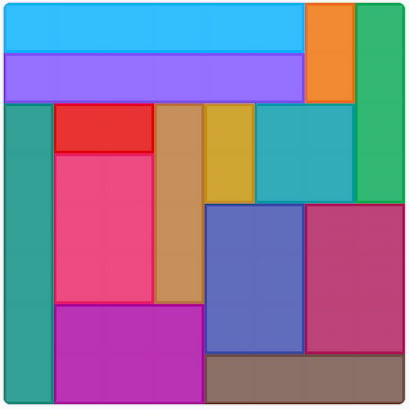
October 3, 2026 – #200
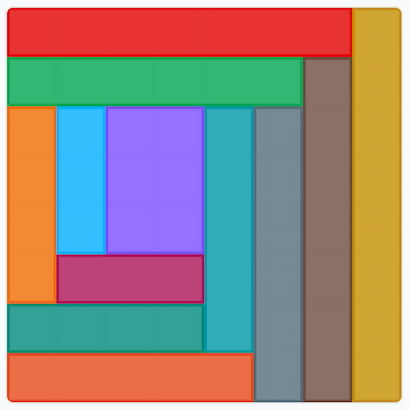
October 2, 2026 – #199
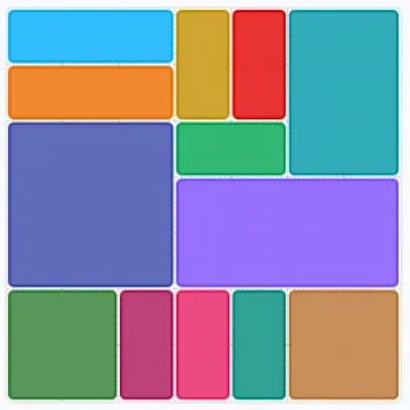
October 1, 2026 – #198
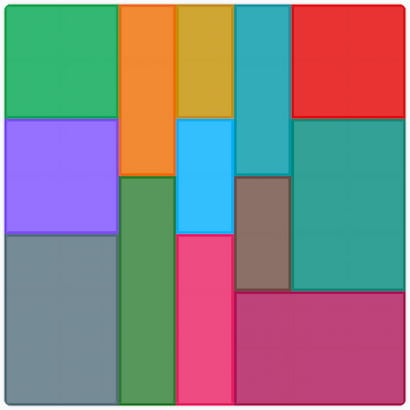
LinkedIn Patches September 2026 Answer History List
September 30, 2026 – #197
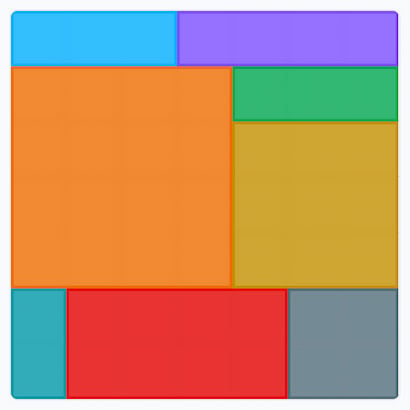
September 29, 2026 – #196
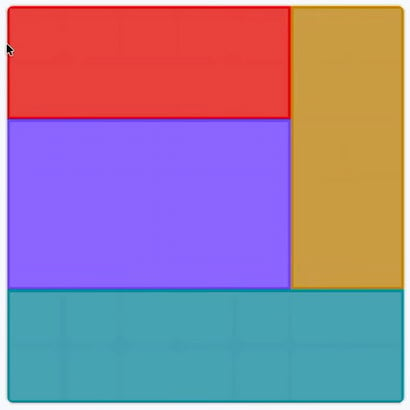
September 28, 2026 – #195
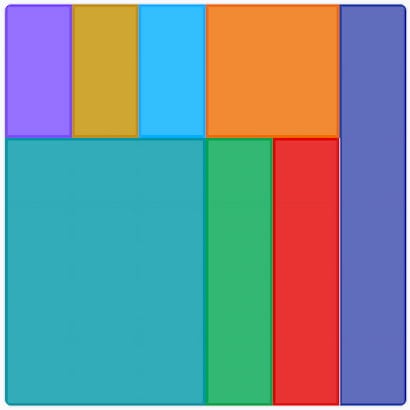
September 27, 2026 – #194
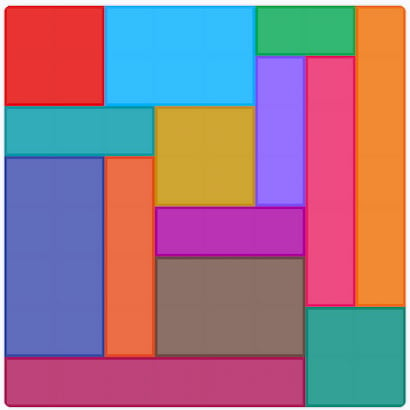
September 26, 2026 – #193
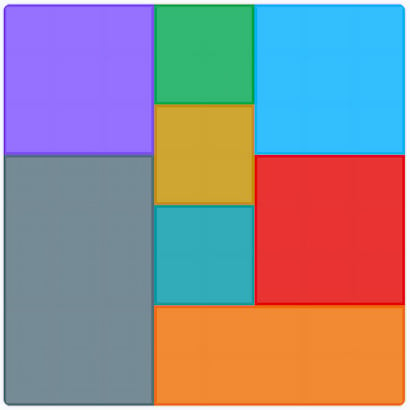
September 25, 2026 – #192

September 24, 2026 – #191
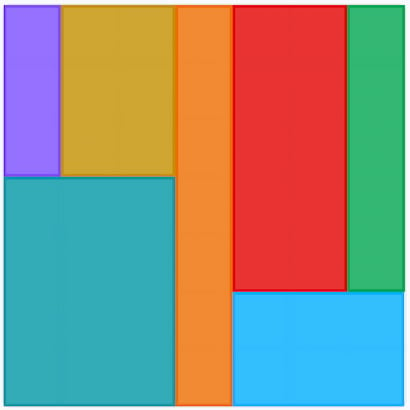
September 23, 2026 – #190
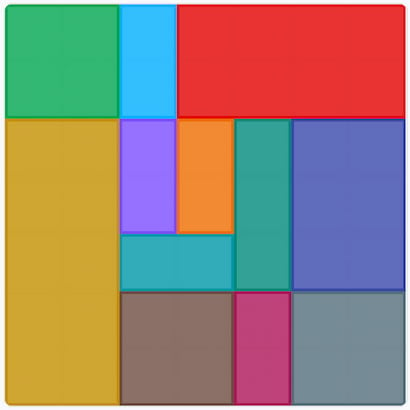
September 22, 2026 – #189
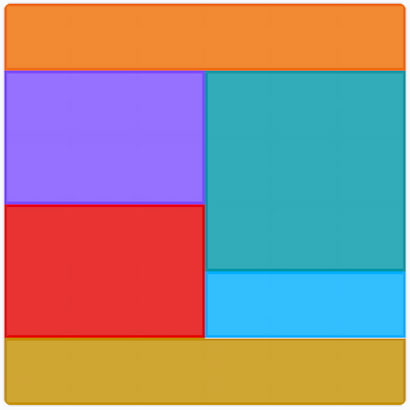
September 21, 2026 – #188
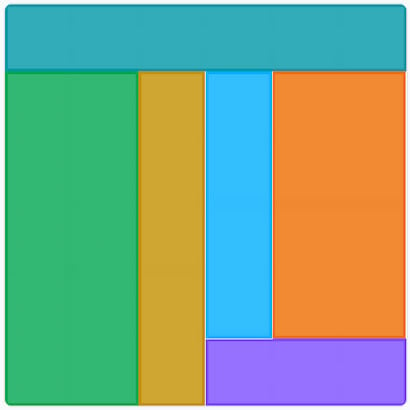
September 20, 2026 – #187
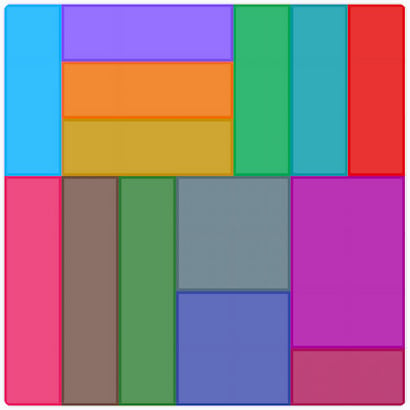
September 19, 2026 – #186
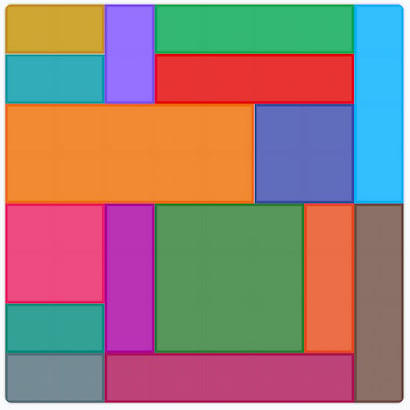
September 18, 2026 – #185
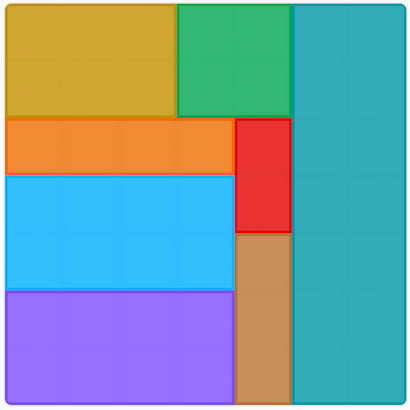
September 17, 2026 – #184

September 16, 2026 – #183
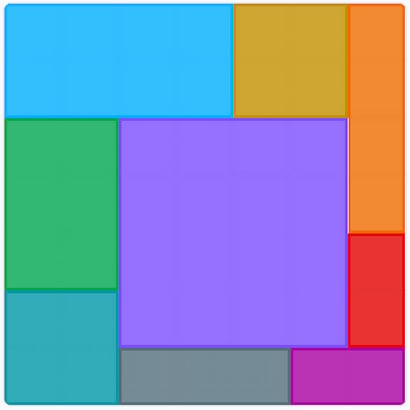
September 15, 2026 – #182
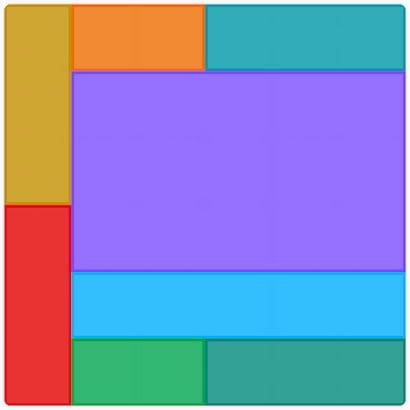
September 14, 2026 – #181
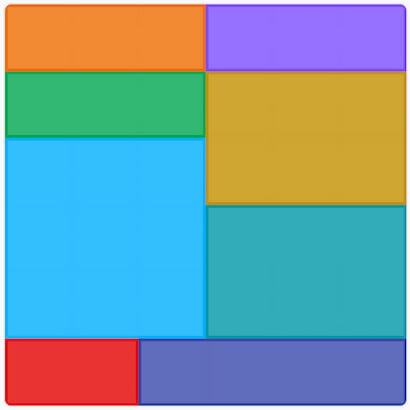
September 13, 2026 – #180
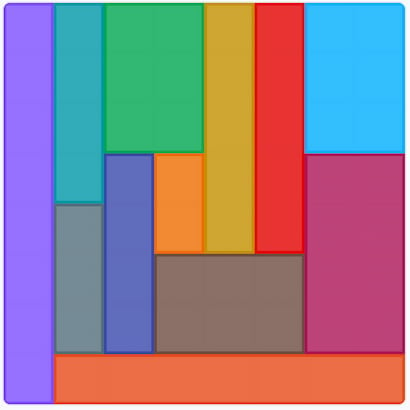
September 12, 2026 – #179
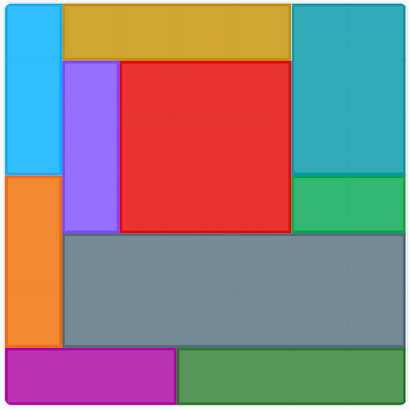
September 11, 2026 – #178
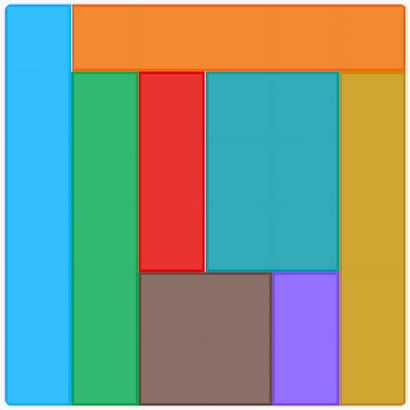
September 10, 2026 – #177

September 9, 2026 – #176

September 8, 2026 – #175
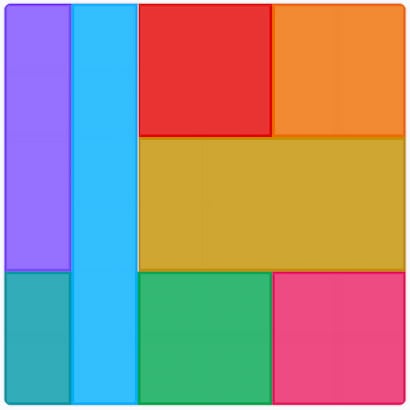
September 7, 2026 – #174
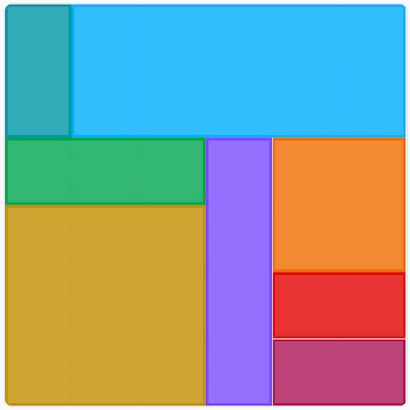
September 6, 2026 – #173
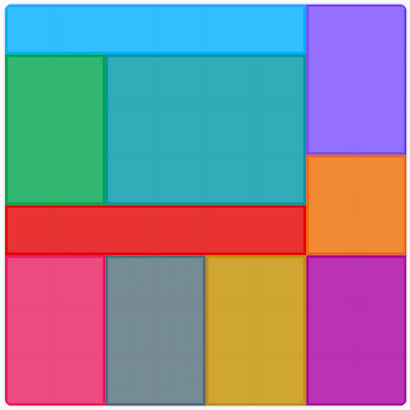
September 5, 2026 – #172
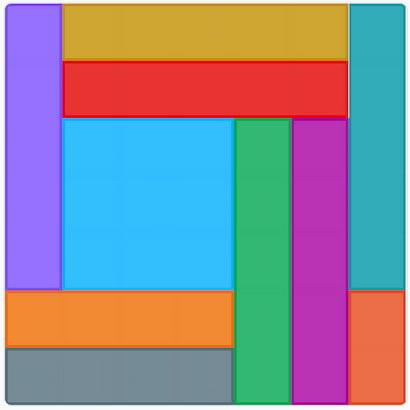
September 4, 2026 – #171
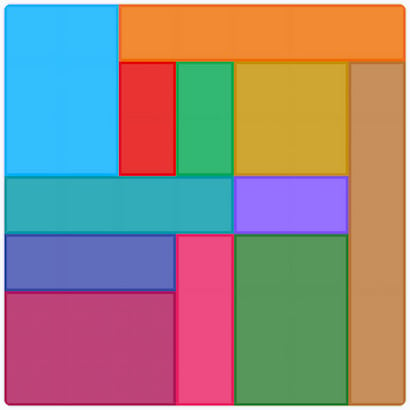
September 3, 2026 – #170

September 2, 2026 – #169
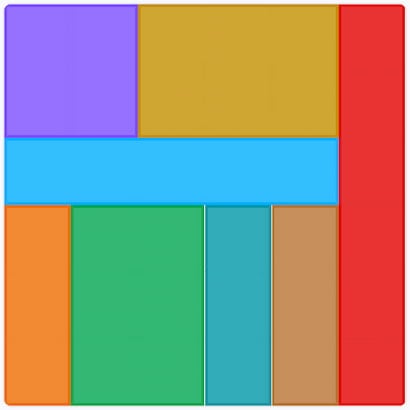
September 1, 2026 – #168
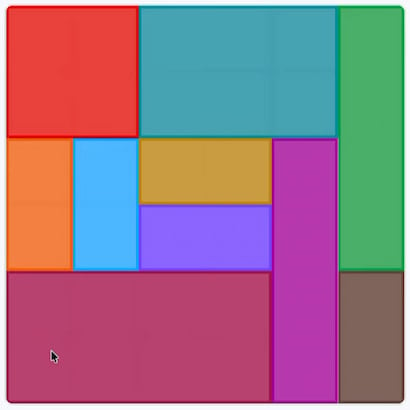
LinkedIn Patches August 2026 Answer History List
August 31, 2026 – #167

August 30, 2026 – #166
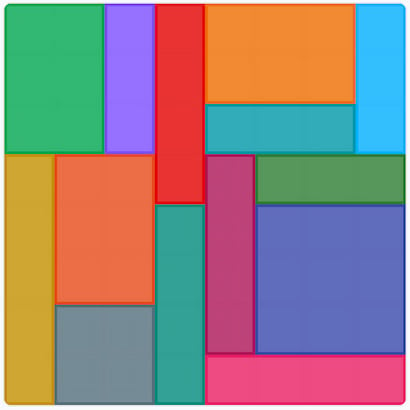
August 29, 2026 – #165

August 28, 2026 – #164
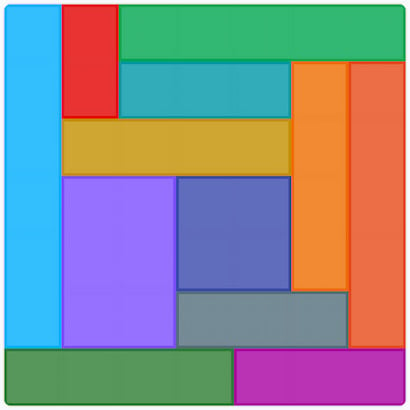
August 27, 2026 – #163

August 26, 2026 – #162
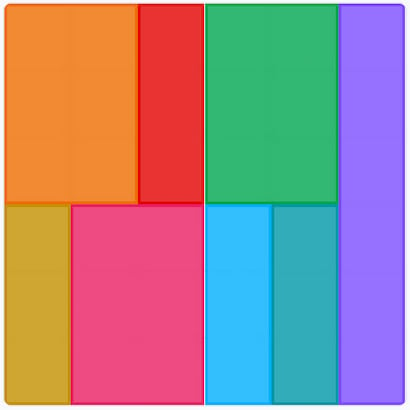
August 25, 2026 – #161
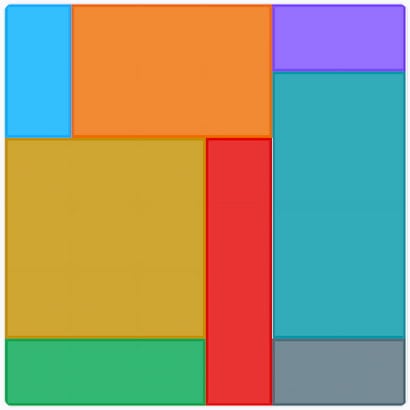
August 24, 2026 – #160

August 23, 2026 – #159
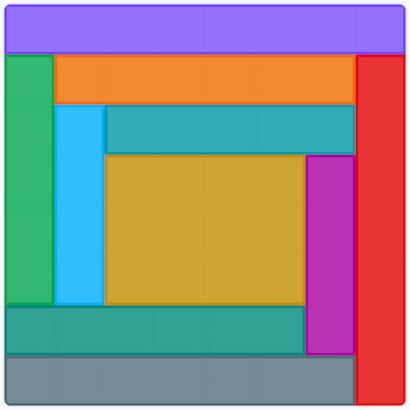
August 22, 2026 – #158
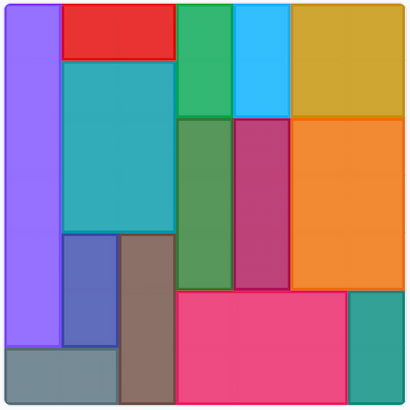
August 21, 2026 – #157

August 20, 2026 – #156
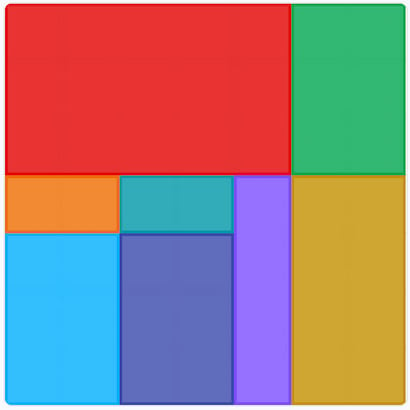
August 19, 2026 – #155

August 18, 2026 – #154
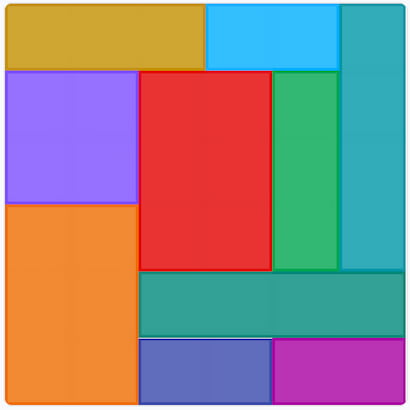
August 17, 2026 – #153
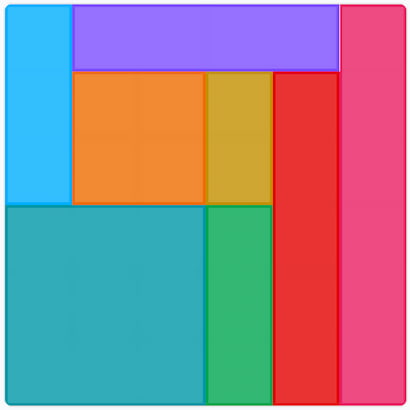
August 16, 2026 – #152
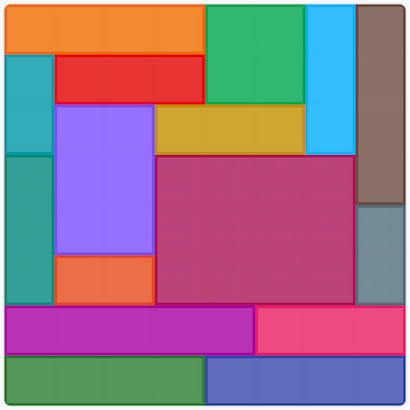
August 15, 2026 – #151
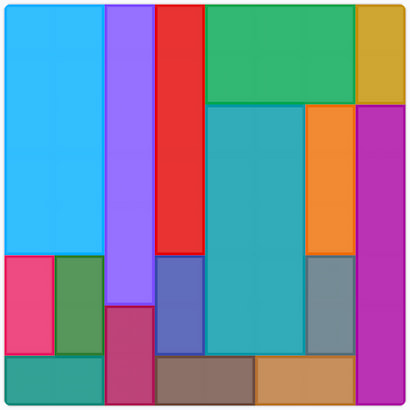
August 14, 2026 – #150
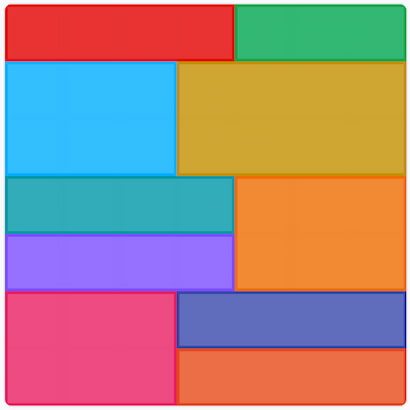
August 13, 2026 – #149

August 12, 2026 – #148
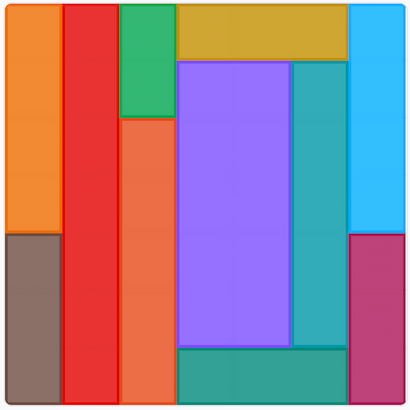
August 11, 2026 – #147
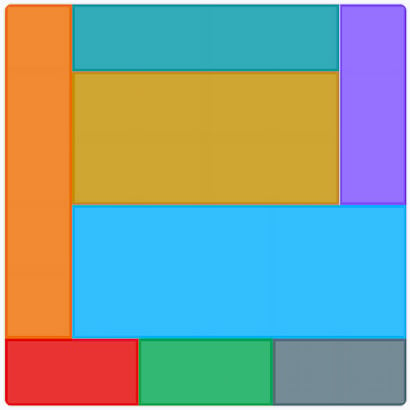
August 10, 2026 – #146

August 9, 2026 – #145
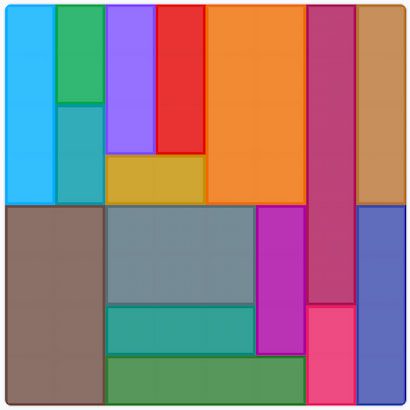
August 8, 2026 – #144

August 7, 2026 – #143
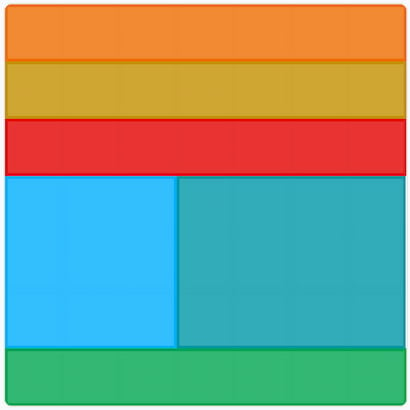
August 6, 2026 – #142
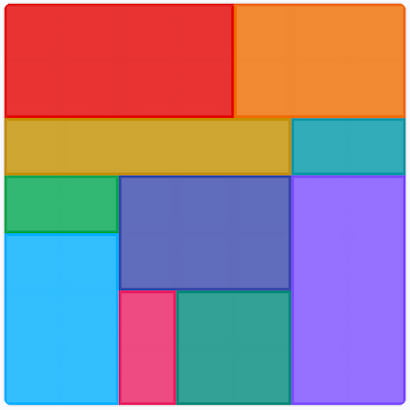
August 5, 2026 – #141
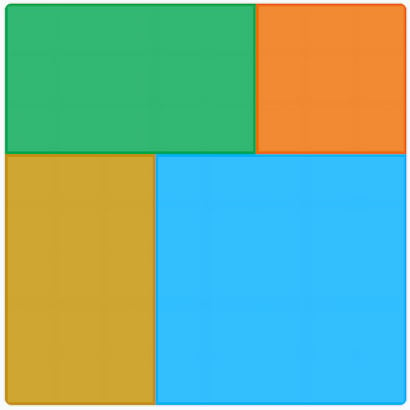
August 4, 2026 – #140
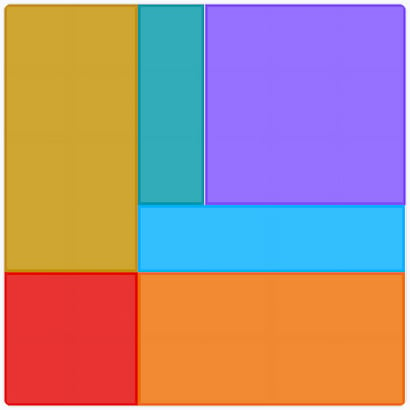
August 3, 2026 – #139
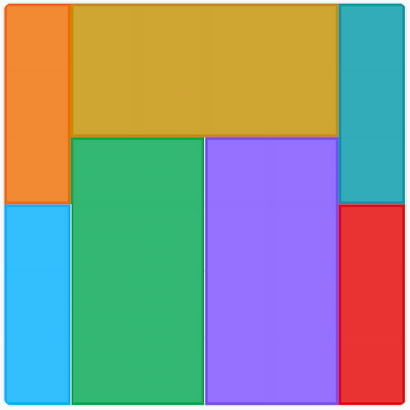
August 2, 2026 – #138
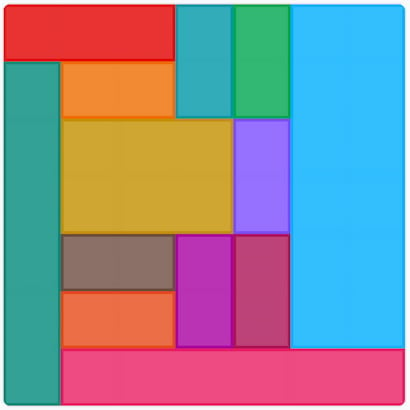
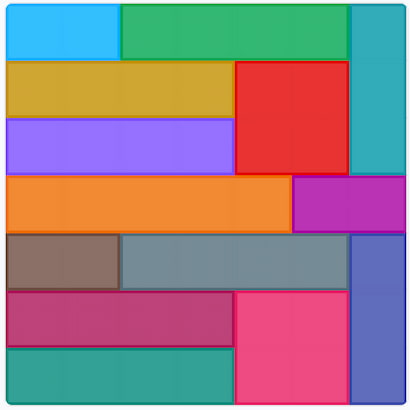
August 1, 2026 – #137
Patches Tips
- Start with the Numbers: The most powerful clues are the numbered regions. A region with a ‘4’ in it must be exactly four cells (either a 2×2 square, a 1×4 rectangle, or a 4×1 rectangle). Solve these definite-sized shapes first to create a foundation.
- Mind the Shape Constraints: Look at the clue for the region (Square, Tall rectangle, Wide rectangle). This severely limits your options. For example, a 6-cell region marked “Tall” can only be 2×3 or 1×6, not 3×2 or 6×1. An area marked “Square” can only be a 1×1, 2×2, 3×3, etc.
- Analyze the Region’s Outline: The physical shape of the outlined region is a huge hint. A long, skinny region can’t contain a large square. An L-shaped 4-cell region can’t be a 2×2 square or a 1×4 rectangle, which helps you deduce the shapes around it.
- Use the Edges and Corners: It’s often easier to determine how a shape must fit when it’s pushed up against the border of the main grid. Placing these edge pieces can create clear boundaries that make it easier to solve the more central, ambiguous regions.
- Don’t Force It; Move On: If you’re unsure how a specific region should be filled, leave it. Solve another, more obvious part of the puzzle. Placing a new shape correctly will often reveal the only possible way to fill in the area you were stuck on.
Here are all the solutions for every published LinkedIn Mini Sudoku puzzle. If you’re after help for more word games, then check out our Word Games section of our website!



Do we have this game in playstore?? If it’s there what’s the name?