LinkedIn Wend is a satisfying word-finding puzzle where you must connect adjacent letters to uncover hidden words. Every letter in the grid is used exactly once. The goal is to find four words of lengths 3, 4, 5, and 6 letters by dragging horizontally or vertically between neighboring letters. Words cannot overlap, and once a word is correctly identified, it stays highlighted and fills one of the empty rows below the grid. Repeat until all letters are used and all words are found. If you need a little help or want to verify your answers, the complete solution for today’s puzzle is provided below.
Also, ensure you Bookmark this page, so you can solve the next Wend solution! Also, don’t forget to check out our LinkedIn Pinpoint, Queens, Tango, Crossclimb, Zip, Mini Sudoku, and Patches coverage.
Today’s LinkedIn Wend Answer
The correct words you’re looking for on October 10, 2026 – #124 are below:
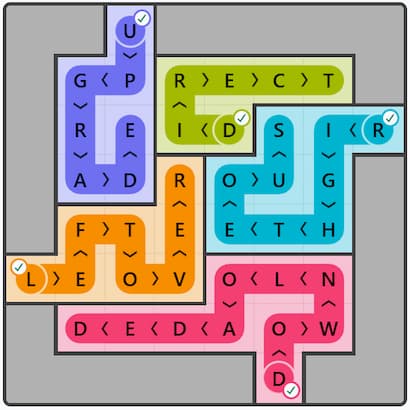
Yesterday’s LinkedIn Wend Answer
The correct words you’re looking for on October 9, 2026 – #123 are below.
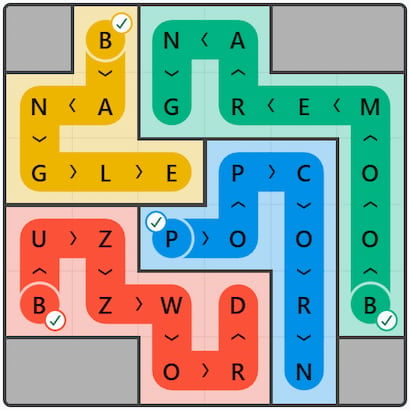
LinkedIn Wend Answer History List
LinkedIn Wend October 2026 Answer History List
October 8, 2026 – #122
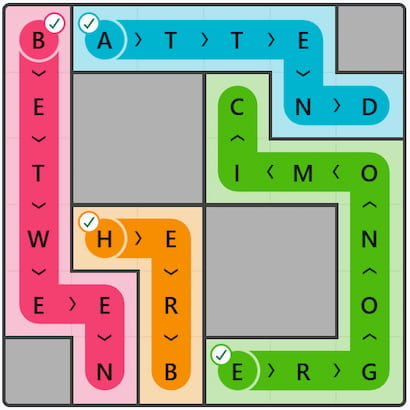
October 7, 2026 – #121
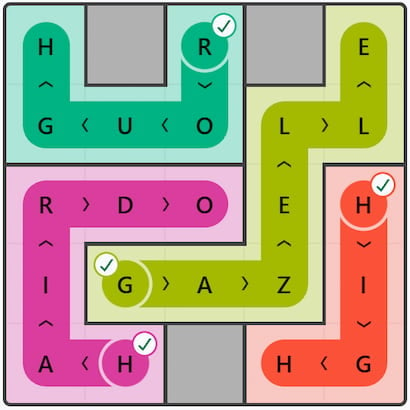
October 6, 2026 – #120
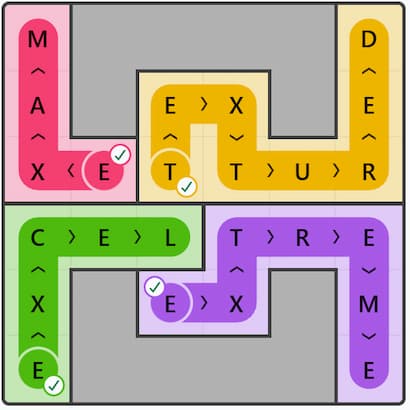
October 5, 2026 – #119
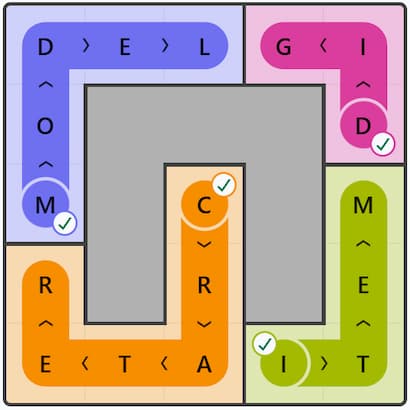
October 4, 2026 – #118
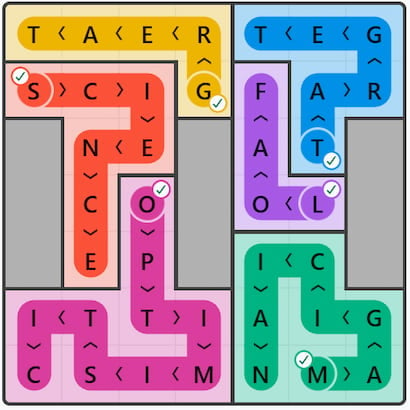
October 3, 2026 – #117
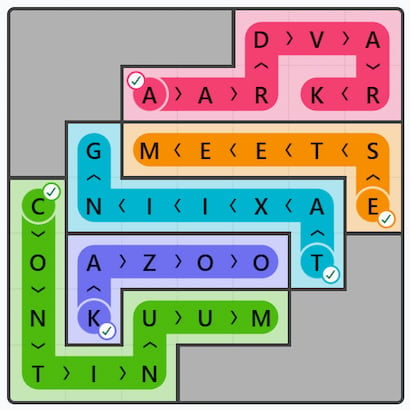
October 2, 2026 – #116
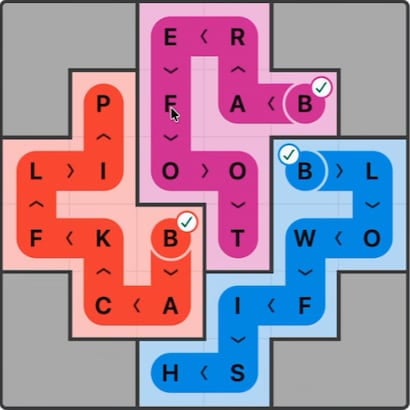
October 1, 2026 – #115
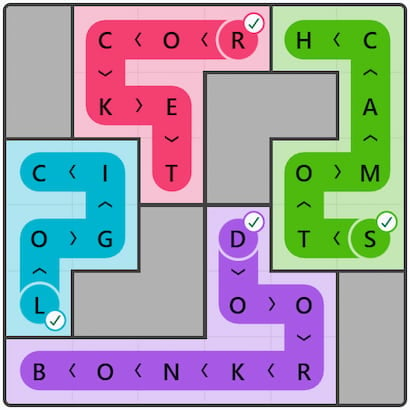
LinkedIn Wend September 2026 Answer History List
September 30, 2026 – #114
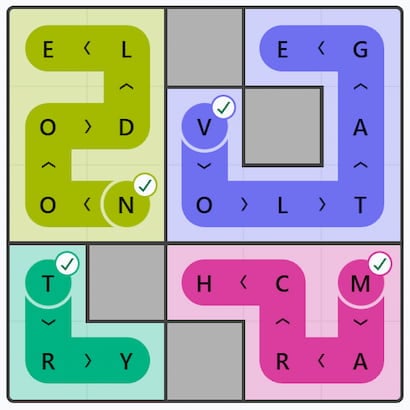
September 29, 2026 – #113
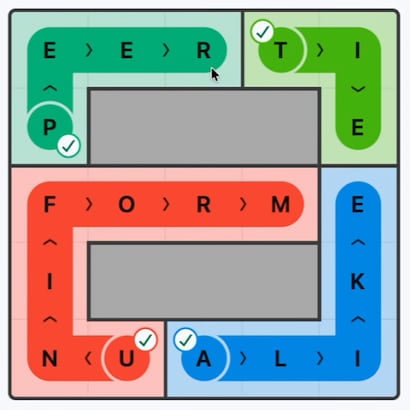
September 28, 2026 – #112
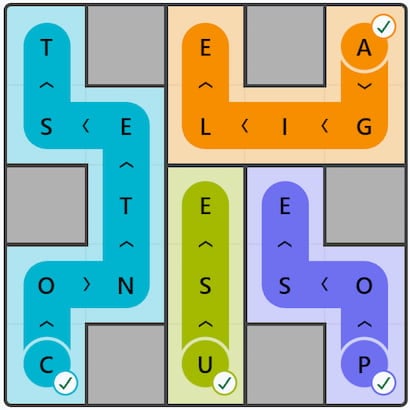
September 27, 2026 – #111
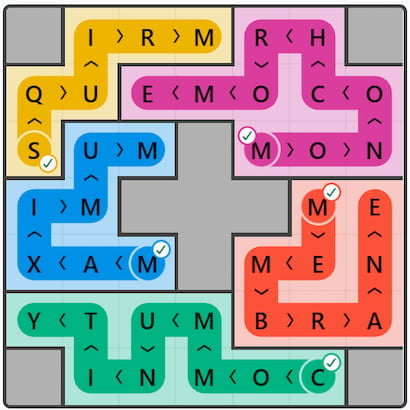
September 26, 2026 – #110
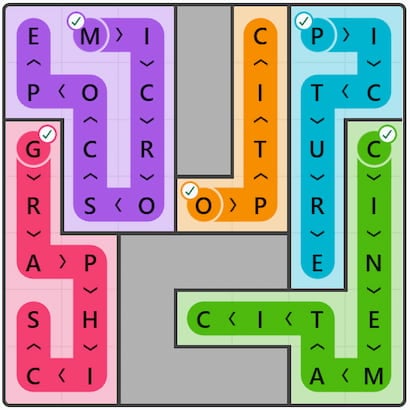
September 25, 2026 – #109
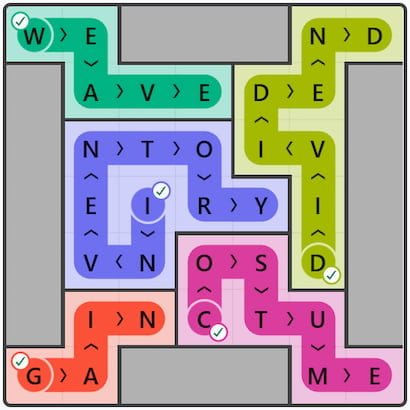
September 24, 2026 – #108
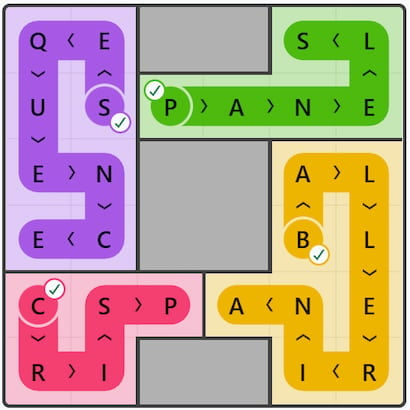
September 23, 2026 – #107
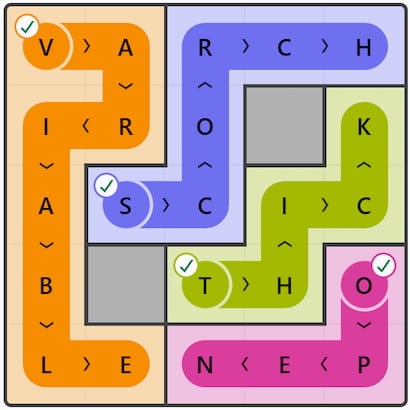
September 22, 2026 – #106
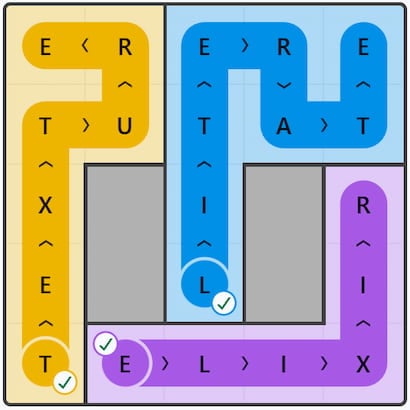
September 21, 2026 – #105
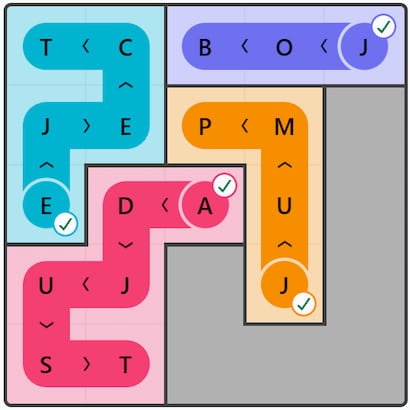
September 20, 2026 – #104
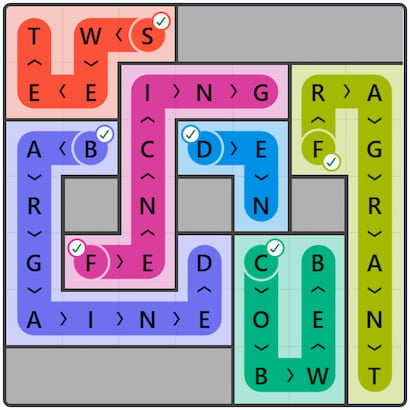
September 19, 2026 – #103
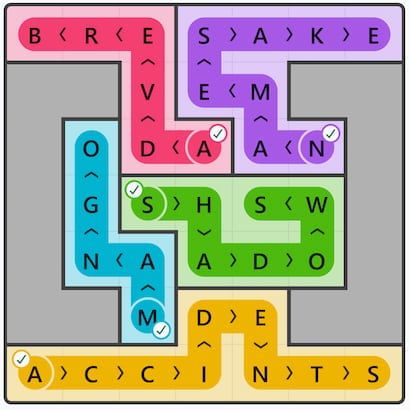
September 18, 2026 – #102
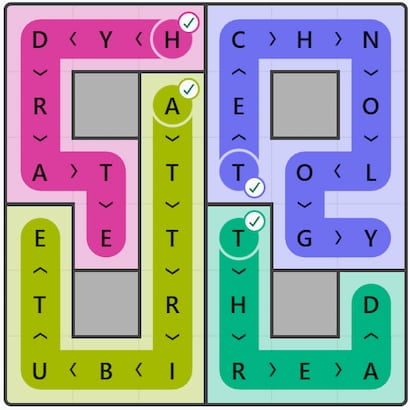
September 17, 2026 – #101
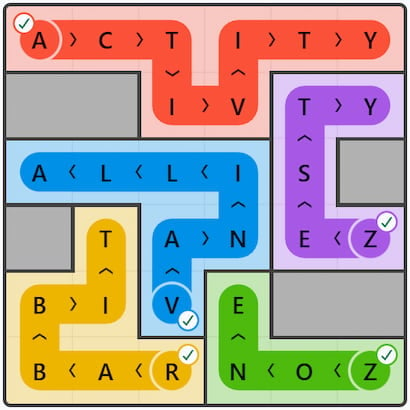
September 16, 2026 – #100
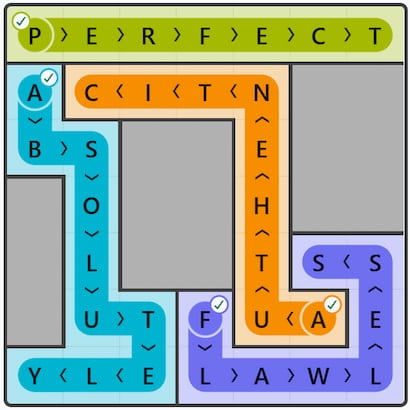
September 15, 2026 – #99
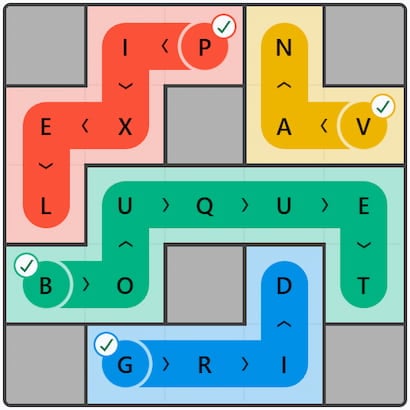
September 14, 2026 – #98
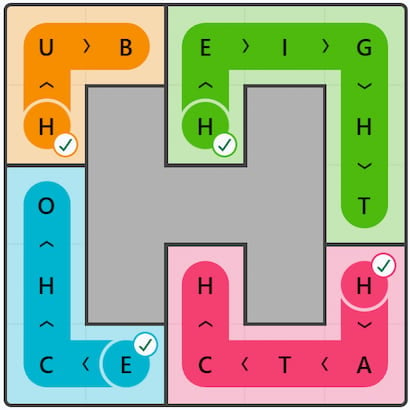
September 13, 2026 – #97
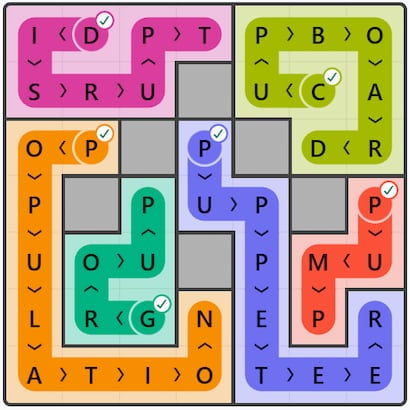
September 12, 2026 – #96
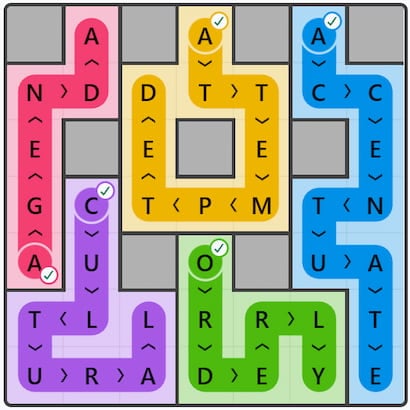
September 11, 2026 – #95
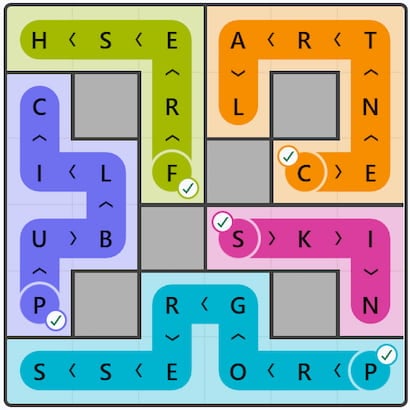
September 10, 2026 – #94
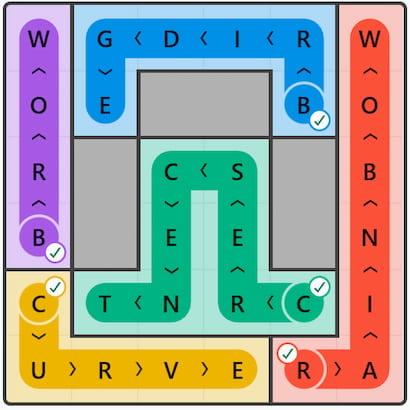
September 9, 2026 – #93
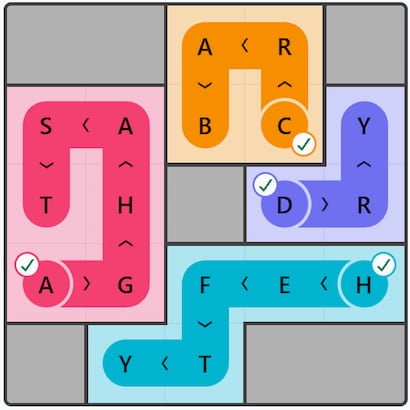
September 8, 2026 – #92
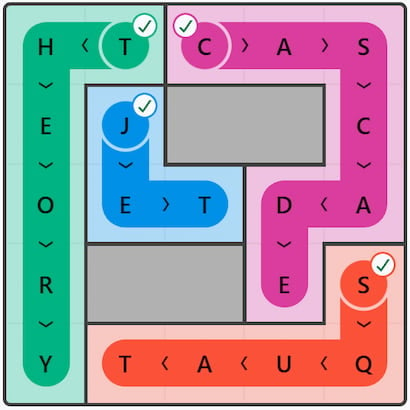
September 7, 2026 – #91
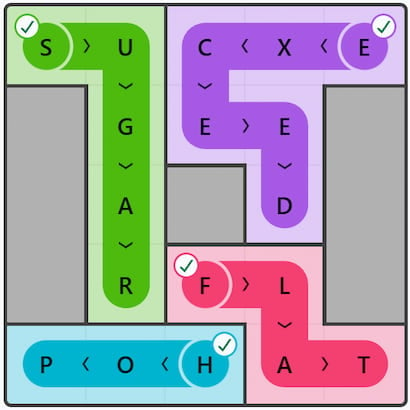
September 6, 2026 – #90
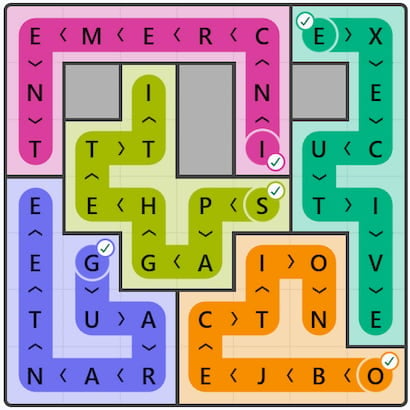
September 5, 2026 – #89
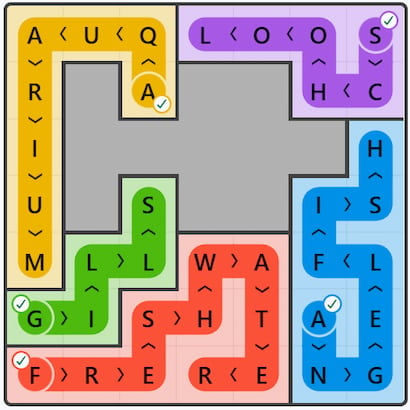
September 4, 2026 – #88
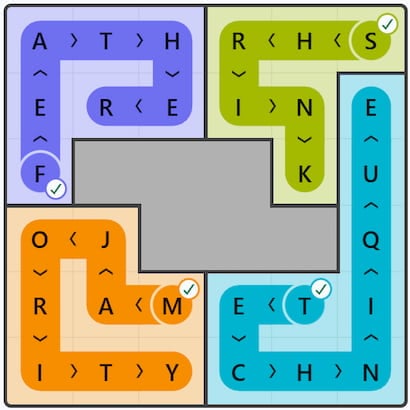
September 3, 2026 – #87
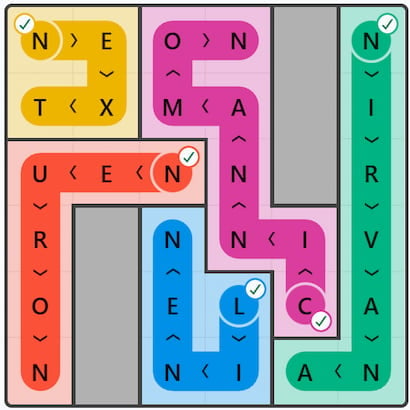
September 2, 2026 – #86
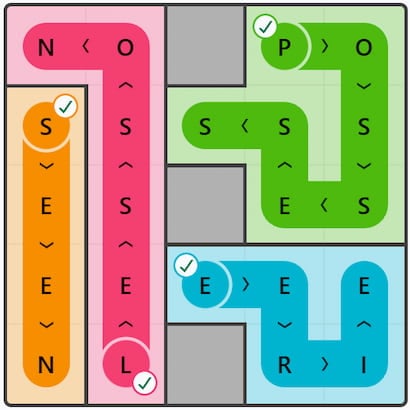
September 1, 2026 – #85
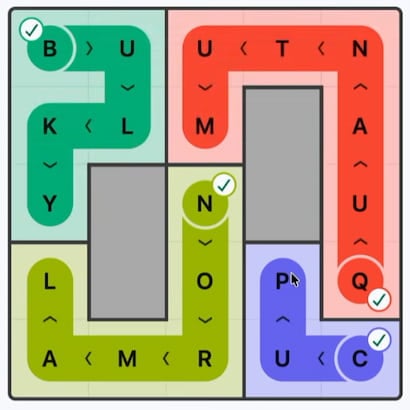
LinkedIn Wend August 2026 Answer History List
August 31, 2026 – #84
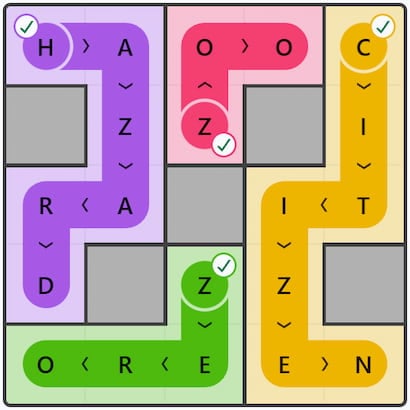
August 30, 2026 – #83
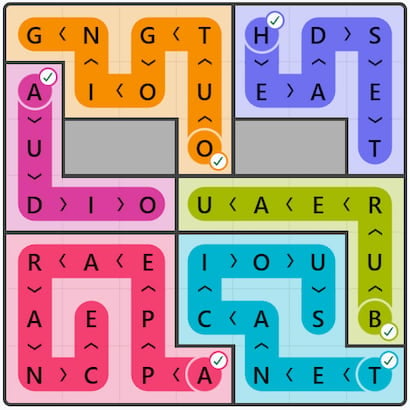
August 29, 2026 – #82
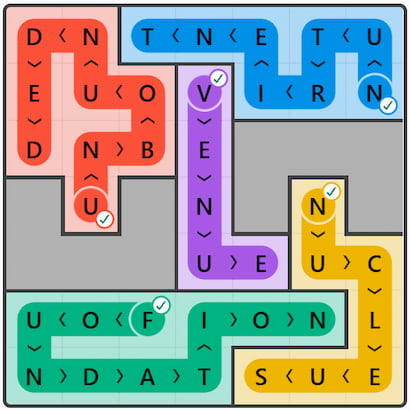
August 28, 2026 – #81
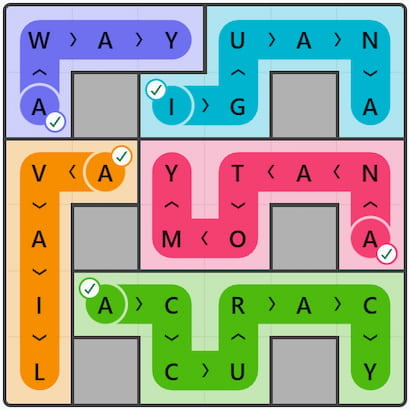
August 27, 2026 – #80
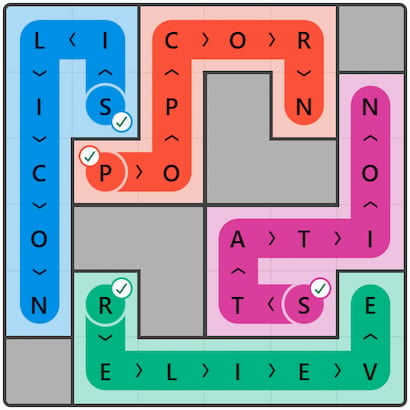
August 26, 2026 – #79
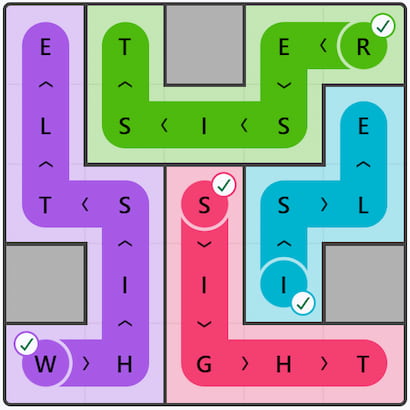
August 25, 2026 – #78
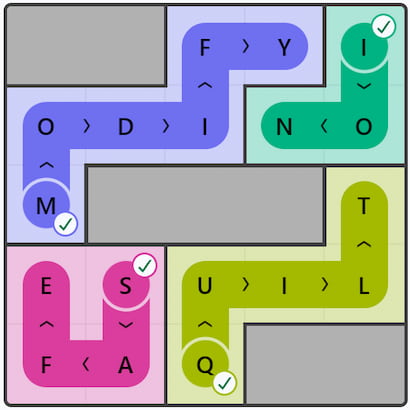
August 24, 2026 – #77
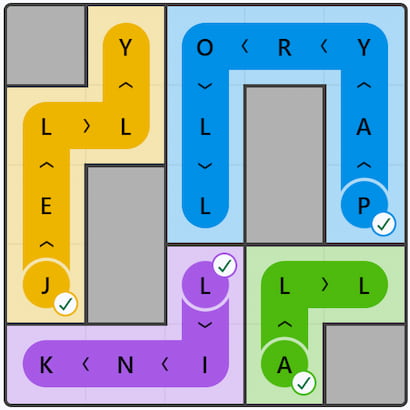
August 23, 2026 – #76
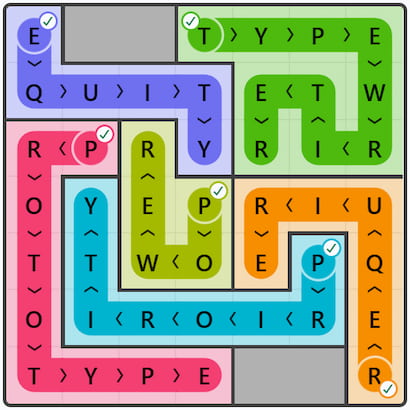
August 22, 2026 – #75
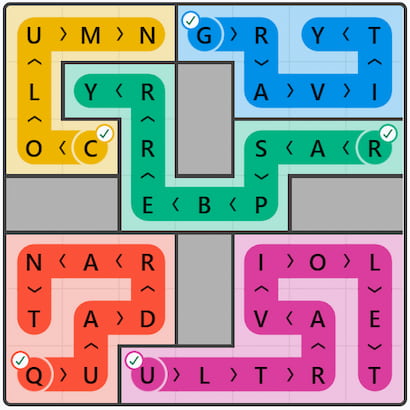
August 21, 2026 – #74
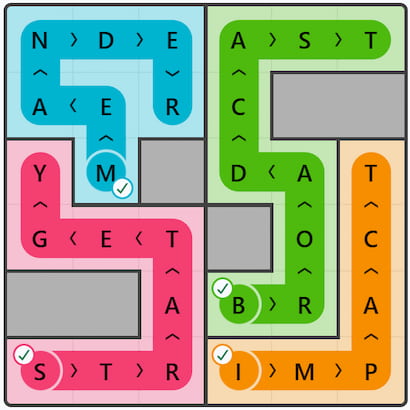
August 20, 2026 – #73
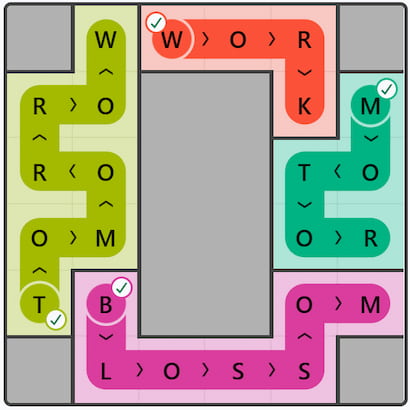
August 19, 2026 – #72
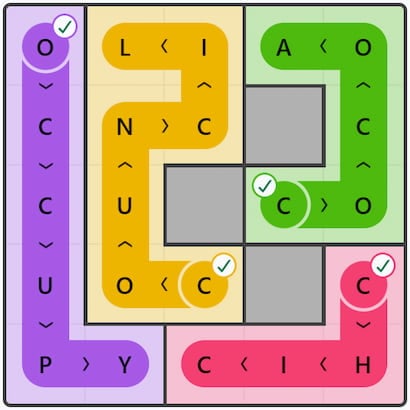
August 18, 2026 – #71
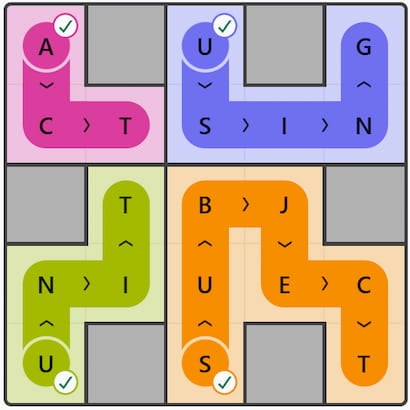
August 17, 2026 – #70
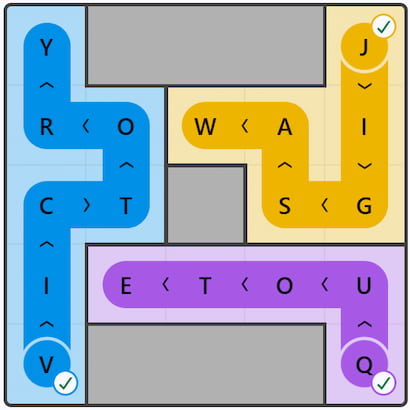
August 16, 2026 – #69
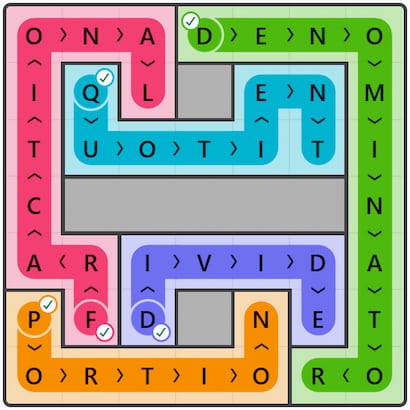
August 15, 2026 – #68
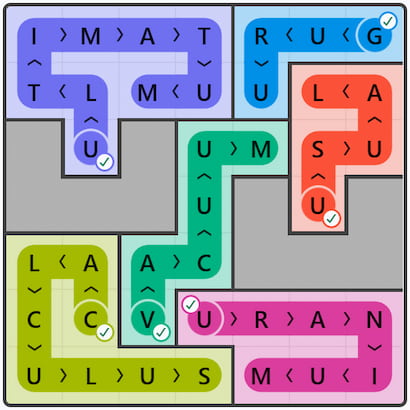
August 14, 2026 – #67
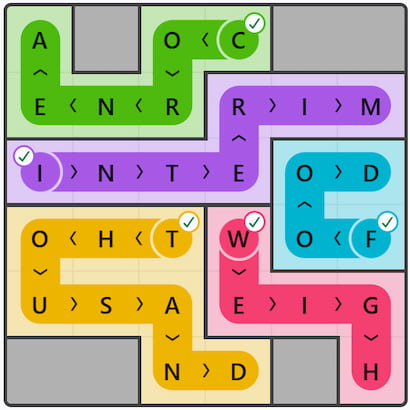
August 13, 2026 – #66
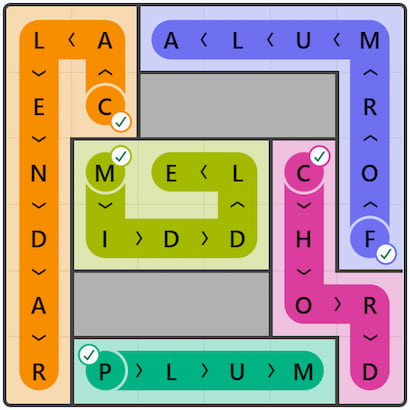
August 12, 2026 – #65
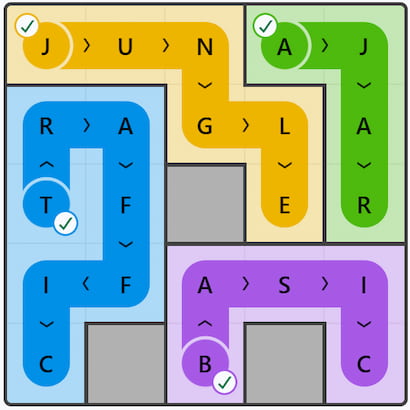
August 11, 2026 – #64
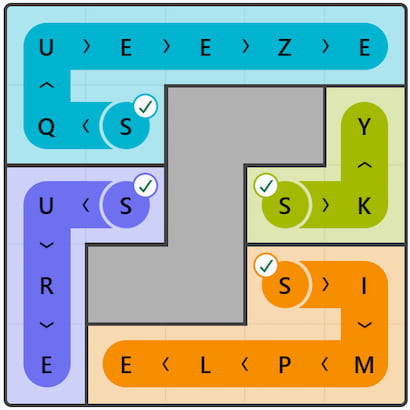
August 10, 2026 – #63
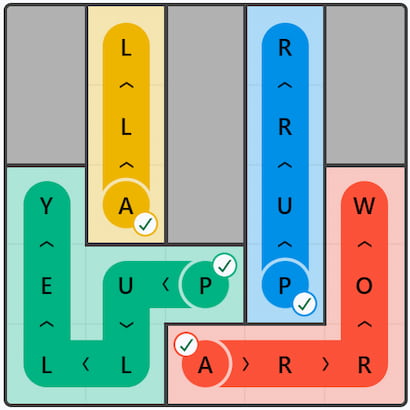
August 9, 2026 – #62
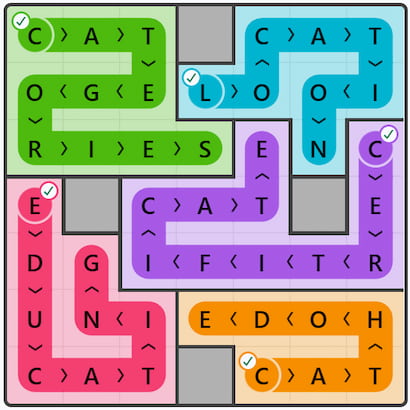
August 8, 2026 – #61
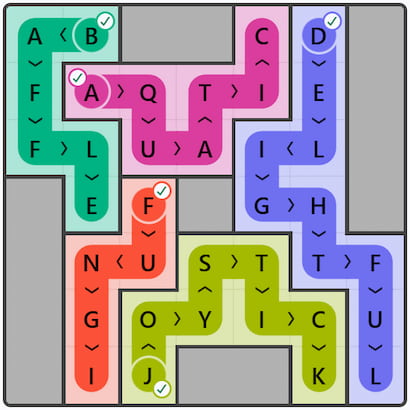
August 7, 2026 – #60
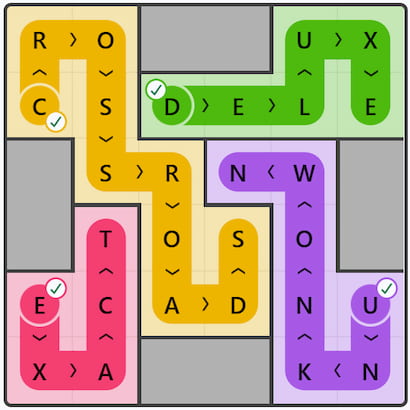
August 6, 2026 – #59
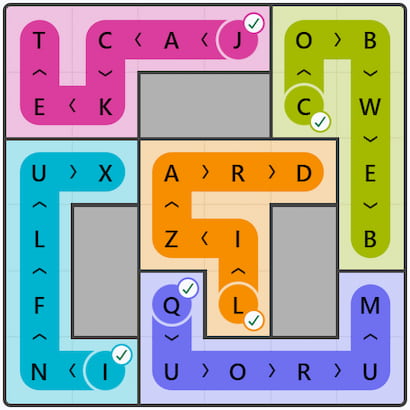
August 5, 2026 – #58
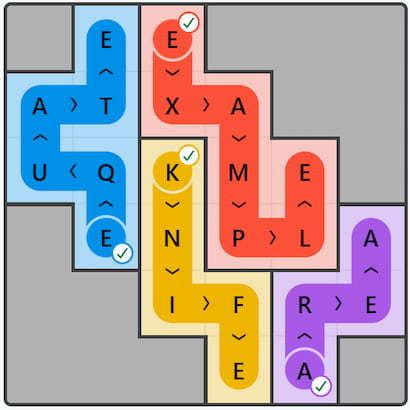
August 4, 2026 – #57
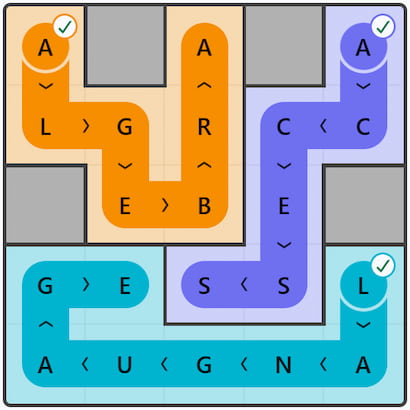
August 3, 2026 – #56
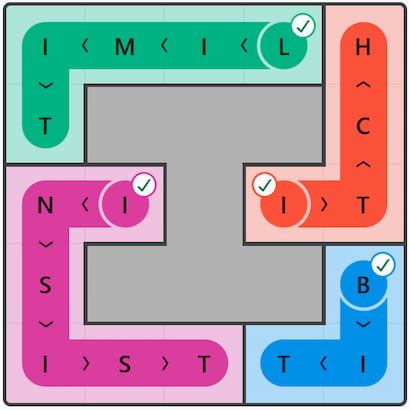
August 2, 2026 – #55
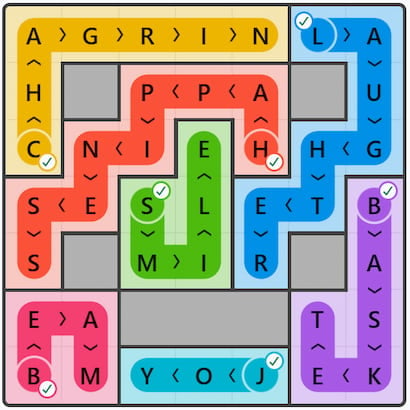
August 1, 2026 – #54
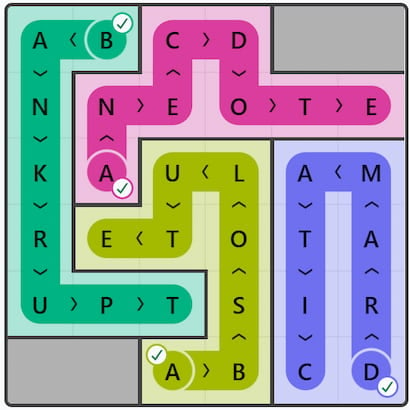
Wend Tips
- Start with the longest word. The longest letter word has the fewest possible paths, so trying to find it first can quickly anchor your solution.
- Look for common prefixes and suffixes. Patterns like “ING”, “ED”, “ER”, or “TH” often appear. Scanning the grid for those letter pairs can reveal word candidates.
- Use every letter exactly once. Keep track of which letters you’ve used. If a letter remains unconnected at the end, you’ll know a word was placed incorrectly.
- Avoid dead ends early. When you test a word, imagine whether the leftover letters can still form the remaining words (especially the 3‑ and 4‑letter ones). If they can’t, try a different route.
- Don’t force it; move on. If you’re stuck on one word, try building another. Correctly placing a shorter word often opens up the only possible path for the longer ones.
Here are all the solutions for every published LinkedIn Wend puzzle. If you’re after help for more word games, then check out our Word Games section of our website!


Starting with the longest 6-letter word truly is the best strategy for Wend. It really helps anchor the solution, just as suggested here.