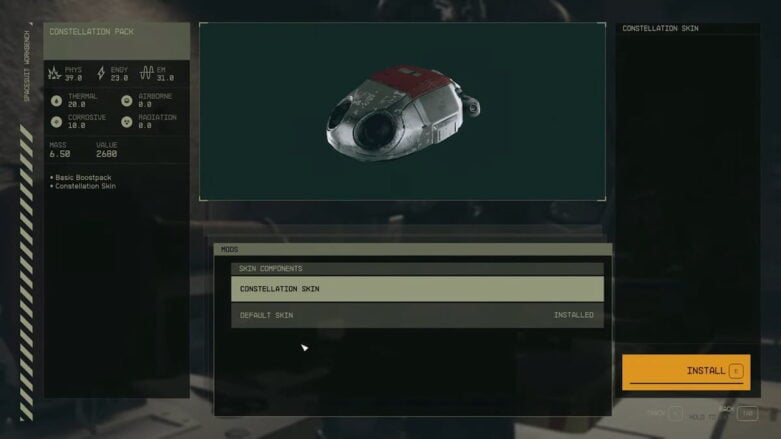
In the universe of Starfield, players often seek ways to customize their characters and gear, making their journey more personal or funny, either or really. Yet, many players wonder if there are multiple ways to acquire these weapon skins and more beyond purchasing the Constellation Pack edition of Starfield.
In our guide, we have the information as to whether you can unlock new weapon skins in Starfield.
Starfield Weapon Skins – Can You Find More Skins?
Currently, the only confirmed method to acquire weapon skins in Starfield is through the Constellation Pack, which provides players with three distinct skins. As of now, there are no quests or in-game activities that reward players with additional skins. While some might hope for more avenues to obtain skins in the future, it’s not possible at the moment.
Related: How to Get Starborn Armor in Starfield
From my 28 years of gaming experience, it’s not uncommon for games to introduce additional customization options post-launch. Given the popularity of cosmetic items in the gaming community, it’s possible that Bethesda might introduce micro-transactions in the future, potentially offering an in-game store or similar feature where players can purchase new skins.
However, it’s essential to note that introducing micro-transactions at a game’s launch can sometimes lead to negative feedback from the community. Bethesda might have chosen to delay such a feature to ensure a smooth game launch. Another point to consider is the presence of Game Pass perks, which often include skins for games. With Starfield being available on Game Pass at launch, there’s potential for exclusive Game Pass skins in the future.
How to Equip Skins in Starfield

Equipping skins in Starfield is a straightforward process. For weapons, players should locate a weapon workbench. Once there, select the weapon you wish to customize. Scroll through the options, and towards the bottom, you’ll find the skins section. Simply select it and choose your desired skin to apply it to the weapon.
For spacesuits and helmets, the process mirrors that of weapons. Locate a spacesuit workbench, select the item you wish to customize, and choose from the available skins.

Comments