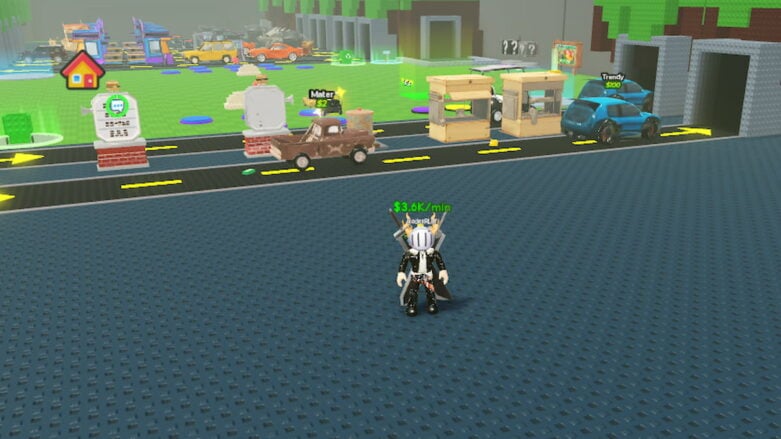
In Roblox Drive-Thru Empire, you spin for all kinds of crazy cars and try to serve customers as fast as you can. I like upgrading my drive-thru so everything moves quicker, and it’s always a surprise what car shows up next. Sometimes I just focus on stacking up cash to unlock new stuff, and other times I try to get the rarest car possible. It’s fun seeing your fast-food place grow with every upgrade and every new car you get.
Use Drive-Thru Empire codes to get Cash and Boosts so you can start purchasing upgrades and more faster! It takes time to hunt for working codes, but we have already found them to help you pick up extra cash and boosts while you’re spinning for better cars and serving more customers.
All Codes for Roblox Drive-Thru Empire List
Active Drive-Thru Empire Codes (Working)
- LUCK301 – Redeem code for 30 Minutes x2 Luck (NEW)
- BONUSCASH – Redeem code for 50,000 Cash (NEW)
- WELCOME – Redeem code for 2,500 Cash (NEW)
Find codes for a bunch of other games in our Roblox Games Codes page.
Expired Drive-Thru Empire Codes (Not Working)
- There are currently no expired codes for Drive-Thru Empire
How to Redeem Drive-Thru Empire Codes
To redeem codes in Roblox Drive-Thru Empire, you will need to follow these steps:
- Press the Codes button at the bottom right corner of the screen.
- Enter a working code in the Enter code here… text box and hit the green Submit button.
- If the code is still active, you’ll get your free rewards instantly.
- If not, let us know in the comments!
Be sure to use codes from our Drive-Thru Empire list quickly, as they may expire soon.
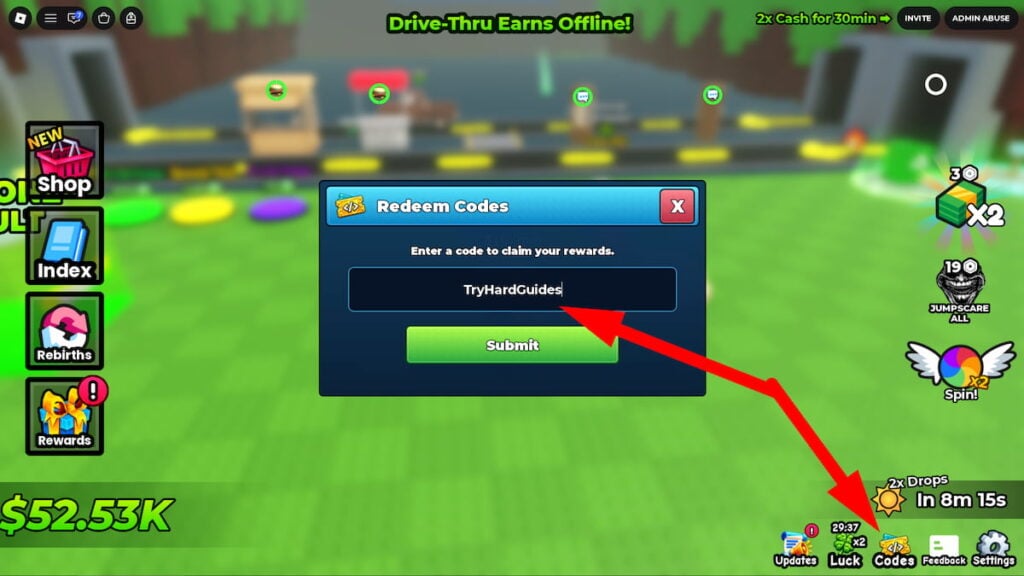
If it’s a brand new code that doesn’t work, try closing out of the game and re-opening it. This will put you in a new server, which could have an updated build of the game where the code will be working!
How to Get More Drive-Thru Empire Codes
I’ve had the most success finding the latest Drive-Thru Empire codes by staying active in the game’s community:
- Bookmark this page (press Ctrl + D) and check back for updates!
- Join the DRAIN CCU Games Roblox Group
- Join the Drain CCU Games Discord
Why Are Drive-Thru Empire Codes Not Working?
If you’re having trouble redeeming an Drive-Thru Empire code, don’t worry! Here are some common reasons and how to troubleshoot them:
- Typos: Even a small error can make a code invalid. Double-check your entry or copy and paste the code directly from a reliable source like this guide or the official game channels.
- Expiration: Codes often have a limited lifespan. Developers usually announce expiration dates, but sometimes they’re removed without warning. Redeem codes as soon as you find them to avoid missing out!
- Case Sensitivity: Some codes are case-sensitive, so ensure you’re entering uppercase and lowercase letters exactly as shown.
- Server Issues: Occasionally, a new code might not work immediately on all servers. Try rejoining the game or switching to a different server if you encounter issues.
If you’ve tried these tips and a code still isn’t working, it’s possible the code has truly expired. Feel free to leave a comment below, and I’ll update the list accordingly to help out other players.
When Are New Drive-Thru Empire Codes Released?
While DRAIN CCU Games hasn’t publicly announced a specific schedule for new code releases, I’ve noticed a few patterns based on the game’s history and community updates:
- Game Updates: Keep an eye out for new codes whenever the game receives a major update or patch. Developers often include codes as a bonus for players.
- Special Events: Events like holidays and milestones often trigger code releases. Follow the official game channels for announcements.
- Community Goals: Developers sometimes reward players with codes when the game reaches a certain number of likes, favorites, or visits.
- Apologies or Compensation: Occasionally, codes are released as a way to apologize for unexpected server shutdowns or game-breaking bugs.
Those are all of the Roblox Drive-Thru Empire codes we currently have listed. If you see one that we’re missing, please let us know in the comments so we can add it right away!





Comments