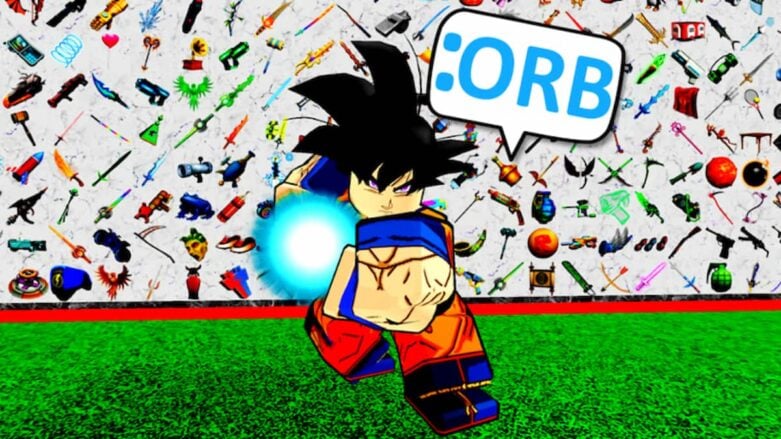
Step into the world of [Free Admin] Unleash the might of Admin Powers, granting you access to exhilarating Admin Commands like :Fling and :Jail. While this game embraces the utilization of potent admin commands, the paramount rule is to revel in the experience!
The commands below can be entered into the game to do amazing things. For example, the :cat command will make you a cat, and the :bighead command will give you a big head. Try them all out to see how much power you have over the game!
All [FREE ADMIN] Commands
Remember to remove <> in the words and names that you use. There are alternative commands you can use that we’ve found and added to the list name.
- :alien <player>
- :apparate <player> <studs>
- :astronaut <player>
- :backrooms <player>
- :hazmat, :suit, :hazmatsuit
- :baller <player>
- :banana <player>
- :bear <player>
- :bigHead <player>
- bhead
- :billy <player> <scale>
- :bodyTypeScale <player> <scale>
- :bring <player> <individual>
- :bubbleChat <player>
- :bundle <player> <number>
- :bunny <player>
- :cat <player>
- :char <player> <user id /username>
- :chatLogs <player>
- :clogs
- :chicken <player>
- :clear <player>
- :clr
- :clearHats <player>
- :clrHats, :clearAccessories, :clrAccessories, :removeHats, :removeAccessories
- :clip <player>
- :clone <player>
- :clown <player>
- :cmdbar <player>
- :commandBar
- :cmdbar2 <player>
- commandBar2
- :commands <player>
- :cop <player>
- :countdown <number>
- :cowboy <player>
- :credits <player>
- :depth <player> <scale>
- :dino <player>
- :disco
- :doctor <player>
- :doge <player>
- :donor <player>
- :dwarf <player>
- :face <player> <number>
- :famous <player>
- :famous2 <player>
- :fart <player>
- :fat <player>
- :fire <player>
- :flamingo <player>
- :Bird
- :fling <player>
- :fly <player> <speed>
- :fly2 <player> <speed>
- :follow <user id /username>
- :forceField <player>
- :freeze <player>
- :gear <player> <number>
- :getSound <player>
- :getSong, :getMusic
- :ghost <player>
- :giant <player>
- :glass <player>
- :god <player>
- :gold <player>
- :golden <player>
- :handTo <player>
- :hat <player> <number>
- :accessory
- :headSize <player> <scale>
- :heal <player>
- :health <player> <number>
- :height <player> <scale>
- :hidename <player>
- :hipHeight <player> <scale>
- :ice <player>
- :info <player>
- :about <player>
- :invisible <player>
- :invis, :inv
- :jail <player>
- :jump <player>
- :jumpPower <player> <number>
- :killer <player>
- :king <player>
- :logs <player>
- :commandLogs
- :lockplayer <player>
- :lockplr, :lockp, :lock
- :m <text>
- :material <player> <material>
- :mat, :surface
- :monkey <player>
- :morph <player> <morph>
- :morphs <player>
- :muscler <player>
- :music <number>
- :name <player> <text>
- :neon <player>
- :nightVision <player>
- :ninja <player>
- :noclip <player> <speed>
- :noclip2 <player> <speed>
- :notice <player> <text>
- :nurse <player>
- :paint <player> <color>
- :color, :colour
- :pants <player> <number>
- :penguin <player>
- :ping <player> – Return your ping (latency) in ms
- :pirate <player>
- :pitch <number>
- :potatoHead <player>
- :princess <player>
- :prisoner <player>
- :proportion <player> <scale>
- :r15 <player>
- :r6 <player>
- :radio <player>
- :boombox
- :rainbowFart <player>
- :ranks <player>
- :reflectance <player> <number>
- :ref, :shiny
- :refresh <player>
- :re, :reset
- :respawn
- :res
- :rich <player>
- :robot <player>
- :santa <player>
- :serverHint <text>
- :serverMessage <text>
- :serverRanks <player>
- :settings <player>
- :shine <player>
- :shirt <player> <number>
- :t-shirt, :t-shirt
- :showname <player>
- :sit <player>
- :size <player> <scale>
- :skeleton <player>
- :slender <player>
- :smallHead <player>
- :shead
- :smoke <player>
- :snowman <player>
- :sparkless <player>
- :speed <player> <speed>
- :spin <player> <number>
- :squash <player>
- :superhero <player>
- :swat <player>
- :sword <player>
- :talk <player> <text>
- :tank <player>
- :team <player> <teamcolor
- :teleport <player> <individual>
- :thaw <player>
- :thin <player>
- :tiger <player>
- :time <number>
- :to <player> <individual>
- :transparency <player> <number>
- :trans
- :unbigHead
- :unicorn <player>
- :unSmallHead <player>
- :updates <player>
- :vampire <player>
- :view <player>
- :visible <player>
- :vis
- :volume <number>
- :vote <player> <answers> <question>
- :warp <player>
- :wednesday <player>
- :werewolf <player>
- :width <player> <scale>
- :zombie <player>
- hb <text>
- hbk <text>
- hdb <text>
- hdg <text>
- hg <text>
- ho <text>
- hp <text>
- hr <text>
- hy <text>
- mb <text>
- mbk <text>
- mdb <text>
- mdg <text>
- mg <text>
- mo <text>
- mp <text>
- mpk <text>
- mr <text>
- :mummy <player>
- my <text>
- :Selene <player> <number>
- titleb <player> <text>
- titlebk <player> <text>
- titledb <player> <text>
- titledg <player> <text>
- titleg <player> <text>
- titleo <player> <text>
- titlep <player> <text>
- titlepk <player> <text>
- titler <player> <text>
- titley <player> <text>
How to input [FREE ADMIN] Commands
To put commands in Roblox [FREE ADMIN], you will just need to follow these steps:
- Go to the chat on the top left
- Enter the command of what you want to do.
- Press Enter

When you put the commands in, make sure to have a colon : before the name. If the command doesn’t have the colon, it won’t work.



Comments