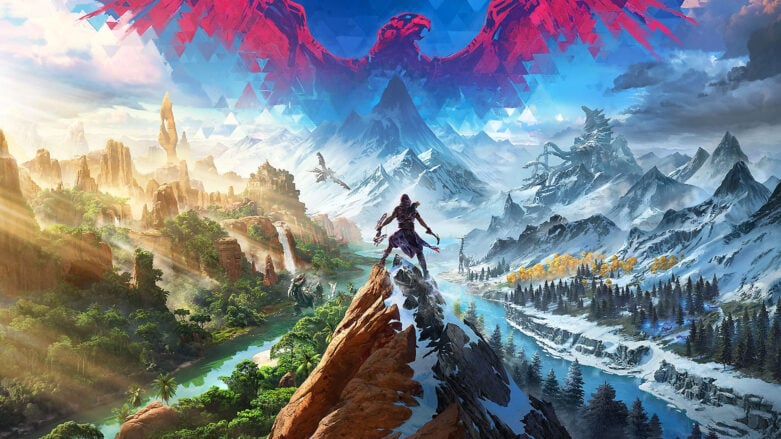
Horizon Call of the Mountain, an enthralling adventure for PlayStation VR2, invites players to explore the captivating world of Horizon. With breathtaking visuals and the innovative PS VR2 Sense controllers, players assume the role of Ryas, a former soldier seeking redemption while navigating the Carja Sundom’s towering peaks. As they unravel the mystery behind the machines, players will encounter familiar faces like Aloy and meet new characters along the way.
The release of Patch 1.04 focuses on enhancing the game experience and resolving issues. Accessibility features have been improved, such as expanded subtitle options, high contrast mode, auto crafting arrows and tools, and the option to disable or enable tutorials in Mission Replays. The patch also addresses slow down on jumps, ensuring a more seamless experience for players.
Performance and stability have seen various crash and performance fixes, making the game run more smoothly. In terms of missions and progression, Patch 1.04 tackles issues where users could get stuck on objects or face difficulties in completing missions. Issues with machines, such as unresponsive enemies and disappearing effects, have also been resolved.
The UI/UX has been polished, with fixes for Aim Assistance, screen darkening, and issues with tutorials. Gaze tracking in menu screens has been improved to prevent flickering between options. Lastly, Patch 1.04 includes various updates to audio, dialogue, music, geometry, lighting, and the credits list, ensuring that players can fully immerse themselves in the captivating world of Horizon Call of the Mountain.
Here is a list of all the patch notes that were released on the official Reddit for the game:
Accessibility Features
- Improved subtitle options – Black box behind subtitles, speaker colors, and increased font sizes for subtitles, tutorials and user action prompts.
- High Contrast Mode – Highlights objects that the user can interact with.
- Auto Crafting Arrows – Allows the user to skip the arrow crafting action.
- Auto Crafting Tools – Allows the user to skip the gameplay for crafting tools.
- Added the option to disable or enable tutorials in Mission Replays.
- Added the option to disable slow down on jumps.
Performance and Stability
- Various crash and performance fixes.
Missions and Progression
- Various fixes for where the user could drop onto and become stuck on objects.
- Fixed a rare issue where the user may not be able to complete the final mission after using the campfire near the end of the mission.
- Fixed an issue where the user could become stuck in a menu when using a campfire whilst in the ammo crafting tutorial.
- Fixed an issue where killing the Stormbird near the campfire would block the user from progressing.
- Fixed an issue where the user may become stuck when climbing the Tallneck, or may not be able to complete the climb.
- Fixed an issue where if the user kills the Stormbird too quickly progression may be blocked.
Machines
- Fixed an issue where the Shellwalker would not damage the user after its claw had been destroyed.
- Fixed an issue where a Watcher may become inactive and not attack the player.
- Fixed an issue where the Stormbird may become idle and disappear when having the frost status effect applied.
UI/UX
- Fixed an issue where Aim Assistance would re-enable when rebooting the title.
- Fixed an issue where the user’s screen may be darkened when destroying the rope bridge’s ropes before the tutorial became active.
- Fixed an issue where the user may be unable to complete the Crafting Tutorial if hit by an enemy whilst crafting.
- Fixed an issue where the user’s UI may disappear after fighting the Scrappers.
- Fixed an issue where gaze tracking may flicker between options in the Menu screens.
Other
- Fixed an issue where the Pan Flute may continue to make noise when dropped, or if the user enters combat whilst using it.
- Various audio, dialogue, and music fixes.
- Various geometry fixes.
- Various lighting fixes.
- Updated the Credits list.

Comments