
Hi-Fi Rush is centered around an aspiring rockstar, Chai, and his friends who have to fight against an evil corporation using rhythmic combat so that he can escape an experiment gone very wrong by battling department by department with a team of allies. If you’re loading up the game and need help knowing how to change difficulty levels in Hi-Fi Rush, we have a step-by-step guide below!
How to change difficultly levels
There are five difficulty levels to choose from, which you can access by going to the Options menu and then selecting Gameplay and then Other Settings; they include: Easy, Normal, Hard, Very Hard, and Rhythm Master. One of these difficulty levels, Rhythm Master, will not be unlocked until after the player completes the story line.
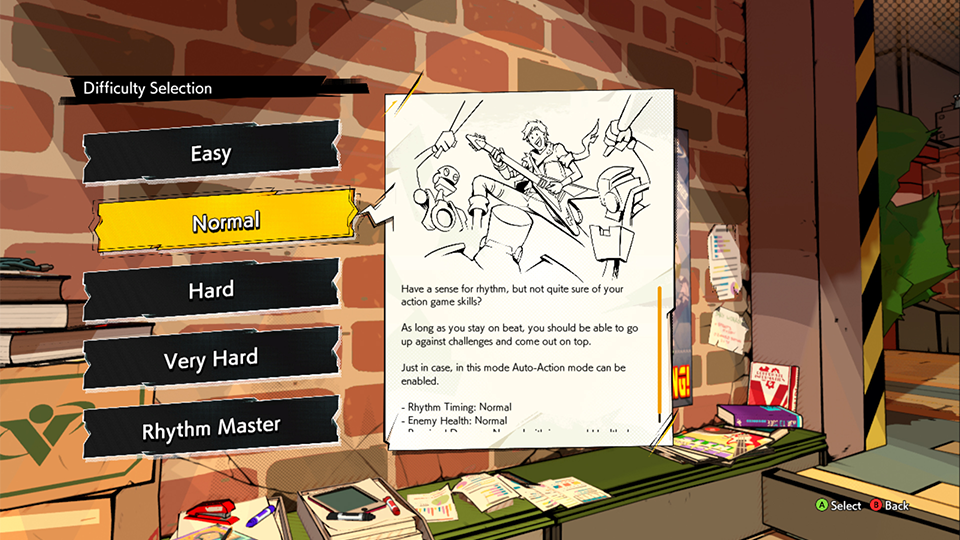
The difficulty settings will adjust rhythm timing margin of error, damaged dealt, amount of health enemies have, health pickup drop rate, and whether you can use Auto-Action Mode (only in Easy and Normal modes). Even in Easy mode, you will still need to try to stay on beat, but it will be a more forgiving experience than in other modes.
You can change the difficulty during the game, but it will restart the player and put them at their most recent checkpoint.
We hope that this helped you figure out how to change difficulty levels in Hi-Fi Rush! Check out more of our Hi-Fi Rush coverage.

Comments