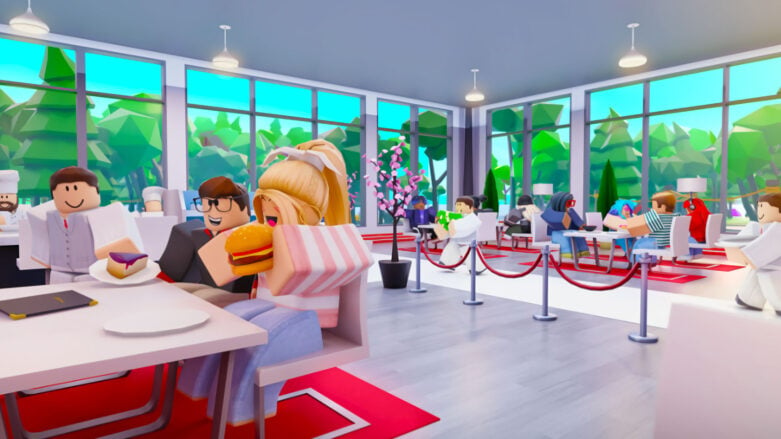
Roblox My Restaurant has gotten a burst of popularity due to the developers at BIG Games adding the Huge Chef Cat from Pet Simulator X as a reward for serving 100,000 customers. If you are one of those players looking to get that prize before it’s gone, you are going to need to know how to increase your ability to serve in the game!
How to get more customers in My Restaurant
The only way to get more customers in Roblox My Restaurant is to purchase additional floors. Each time you get a new floor added to your restaurant, you will have customers arrive faster, which adds up to more people you are serving! If you want more people to serve, just keep buying floors until you have maxed them out.
The way customer spawns work is based on how many floors you currently own. They will arrive within a range of seconds based on your floor count, with the time decreasing each time you add an additional floor.
Here’s a look at the range of seconds between customers arriving at your restaurant based on the amount floors you currently own:
- Floor 1 (Cost: Free) – Customers arrive every 8 – 18 seconds
- Floor 2 (Cost: 4,500 or 50 Robux) – Customers arrive every 6 – 14 seconds
- Floor 3 (Cost: 24,000 or 150 Robux) – Customers arrive every 5 – 11 seconds
- Floor 4 (Cost: 85,000 or 350 Robux) – Customers arrive every 4.5 – 10 seconds
- Floor 5 (Cost: 200,000 or 500 Robux) – Customers arrive every 4 – 9 seconds
- Floor 6 (Cost: 400,000 or 800 Robux) – Customers arrive every 3.5 – 8 seconds
- Floor 7 (Cost: 700,000 or 1,200 Robux) – Customers arrive every 2.75 – 6.5 seconds
- Floor 8 (Cost: 1,300,000 or 1,500 Robux) – Customers arrive every 2.25 – 5 seconds
- Floor 9 (Cost: 6,000,000 or 2,500 Robux) – Customers arrive every 1.5 – 3.75 seconds
- Floor 10 (Cost: 25,000,000 or 9,000 Robux) – Customers arrive every 0.5 – 2 seconds
You don’t need to purchase anything specific for your restaurant to get more customers, you just need to keep adding floors. There are items like the Silverware Tray, which will decrease the time customers stay at your restaurant, which will also free up space and move people along quicker.
How to purchase more floors
If you want to get more floors, you just need to hit the Floors button at the bottom of the screen and hit the green button listed on the floor you can afford. You can also head to the green teleporter button that you will find on each floor of your restaurant and interact with the menu that way.

Keep in mind that you don’t necessarily want to fill all these new floors with chairs and tables. You want your customers to sit down, eat, and leave as quickly as possible. Make sure you’ve got your first floor filled with tables and customers before you go adding more furniture to your other floors!




Comments