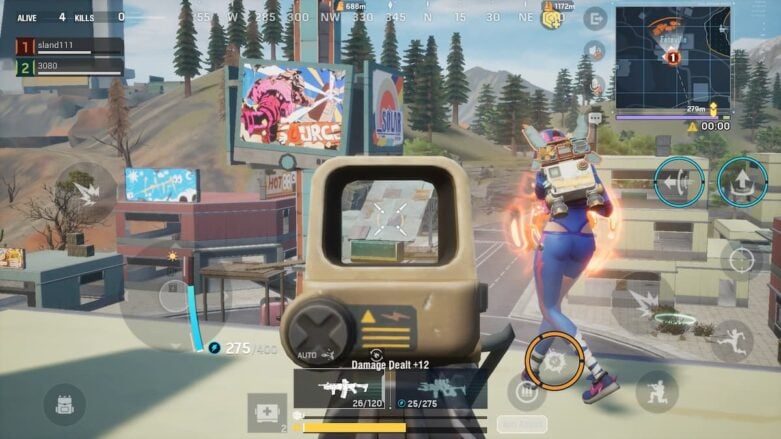
Navigating the dynamic world of Battle Royale games, I’ve encountered many mechanics and gameplay styles. Each game offers its unique twist, and Farlight 84 is no exception. While the basic premise remains consistent across the genre, nuances in gameplay mechanics can sometimes throw off even the most seasoned players. One such nuance in Farlight 84 that has caught the attention of many is the item pick-up mechanism. So, if you’ve been wondering how to pick up items in Farlight 84 efficiently, you’re not alone.
Farlight 84 – How to Pick up Items
Picking up items in this game is straightforward but might feel a bit unfamiliar. Here’s the deal: To pick up loot, whether it’s scattered on the ground or dropped by a fallen adversary, press the Tab key. Ensure your mouse cursor hovers over the desired item. Now, here’s where many players get tripped up: use the mouse wheel to scroll through the loot. If your cursor isn’t directly over the items, scrolling won’t work. This specific mechanic has been a point of contention for some, but it becomes second nature with some practice.
Another crucial tip to remember is the game’s approach to equipping items. FArlight 84 doesn’t use the drag-and-drop system to switch weapons. In Farlight 84, a simple click does the trick. But be wary; a misclick could mean parting ways with your favorite weapon, so always be deliberate in your actions.
Drawing from my extensive experience with Battle Royale games, I’ve noticed that transitioning from one game to another often requires a period of adjustment. Farlight 84, with its tweaked mechanics, is no different. So just be careful when looting that players, zombies, or robots do not catch you unawares, as the looting system isn’t as quick as other Battle Royale games, and it really shows. So just be careful.

Comments