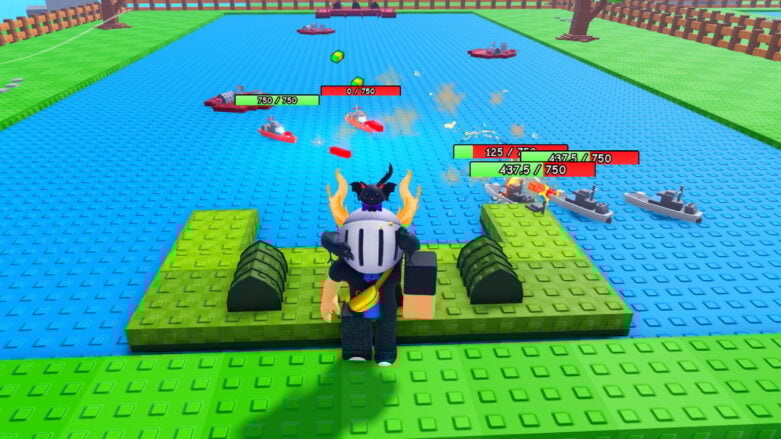
In Roblox Sink a Ship, your primary objective is to defend your harbor from being destroyed by oncoming attackers. You will need to sink enemy vessels and capture various points around the map to build up your defenses. You can acquire and improve your ships, earning rewards to unlock bigger vessels and create a massive fleet.
Use codes to get Money and other Freebies in Sink a Ship. All you need to do is redeem them so you can purchase more ships to defend your harbor. It takes a long time to look for working codes yourself, but we have already found them, making it easier for you to get the resources you need for the game.
All Codes for Sink a Ship List
Active Sink a Ship Codes (Working)
- TOP TIER DAMAGE – Redeem code for a 2X damage boost for 15mins [Must join the Ship Sink Groups Roblox Group to use] (NEW)
- CLEANTHEBUGS – Redeem code for Freebies [Must join the Ship Sink Groups Roblox Group to use]
- WSHIPS – Redeem code for Freebies [Must join the Ship Sink Groups Roblox Group to use]
- RELEASE – Redeem code for Money
Find codes for a bunch of other games in our Roblox Games Codes page.
Expired Sink a Ship Codes (Not Working)
- LETSGO
- UPDATEHYPE
How to Redeem Sink a Ship Codes
To redeem codes in Roblox Sink a Ship, you will need to follow these steps:
- Press the Store button on the left of the screen, then scroll down to the bottom of the Store window.
- Enter a working code in the text box and hit the green Redeem! button.
- If the code is still active, you’ll get your free rewards instantly.
- If not, let us know in the comments!
Be sure to use codes from our Sink a Ship list quickly, as they may expire soon.

If a new code isn’t functioning, try exiting the game and launching it again. This moves you to another server, likely with a more recent game update, allowing the code to work correctly!
How to Get More Sink a Ship Codes
To find more Sink a Ship codes, I’ve found that keeping an eye on official social pages have been great methods for discovering the latest codes and reaping their rewards:
- Bookmark this page (press Ctrl + D) and check back for updates!
- Join the Ship Sink Groups Roblox Group
- Join the Sink a Ship Discord
Why Are Sink a Ship Codes Not Working?
Having trouble with a Sink a Ship code? Here’s some reasons why it may not be working:
- Check for Typos: Make sure you’ve typed or pasted the code correctly. Even a tiny mistake can invalidate it. Use this guide or the game’s official channels as your source for accurate codes.
- Expiration Date: Codes don’t last forever! Developers might announce when a code expires, but sometimes they disappear without warning. So, grab those goodies quickly!
- Capital Letters Matter: Some codes are picky about capital and lowercase letters. Make sure you match the code exactly.
- Server Hiccups: It’s rare, but sometimes a new code might not work right away on every server. Try logging out and back in, or hopping to a different server.
If you’ve done all this and the code still doesn’t work, it might be gone for good. But hey, leave a comment below if you find an expired code, and I’ll make sure the list is up-to-date.
When Are New Sink a Ship Codes Released?
@cakehunterman doesn’t have a set schedule for new code releases, but based on my experience playing and following the game, here’s when you’re most likely to see them:
- Big updates: Whenever the game gets a major overhaul or adds new content, keep an eye out for accompanying codes.
- Special occasions: Holidays and anniversaries are often celebrated with code giveaways. Stay tuned to the official channels for announcements.
- Community achievements: Sometimes, reaching player milestones or popularity goals can trigger the release of new codes.
- Unexpected downtime or issues: If the servers go down or major bugs pop up, may offer codes as a way to say sorry and keep players happy.
Those are all of the Roblox Sink a Ship codes we currently have listed. If you see one that we’re missing, please let us know in the comments so we can add it right away!





Comments