
Blizzard’s Diablo Immortal is their big foray into the mobile gaming scene, but PC players have not been left behind because they can jump in as well. The game is based on the well-known Diablo franchise, that will have you defeating demons and collecting all sorts of loot while doing it. If you’re wondering how to auto navigate your character in the game, we’ll tell you how in this guide.
Auto-Navigating
To auto-navigate in Diablo Immortal, you will need to complete the initial story quest that has you retrieving a piece of the Worldstone. Once you talk to Deckard Cain when you have it, he will give you the World Map which is required for using auto-navigation. You should be around level 10 once this is completed.
Once you have the ability to auto-navigate, you can simple click to highlight one of your quests which will have your character automatically move to the location of your next objective. Tap or click anywhere on the screen to stop the auto-navigation, which you can then pick up again by clicking the navigation button next to the “Navigation Paused” text.
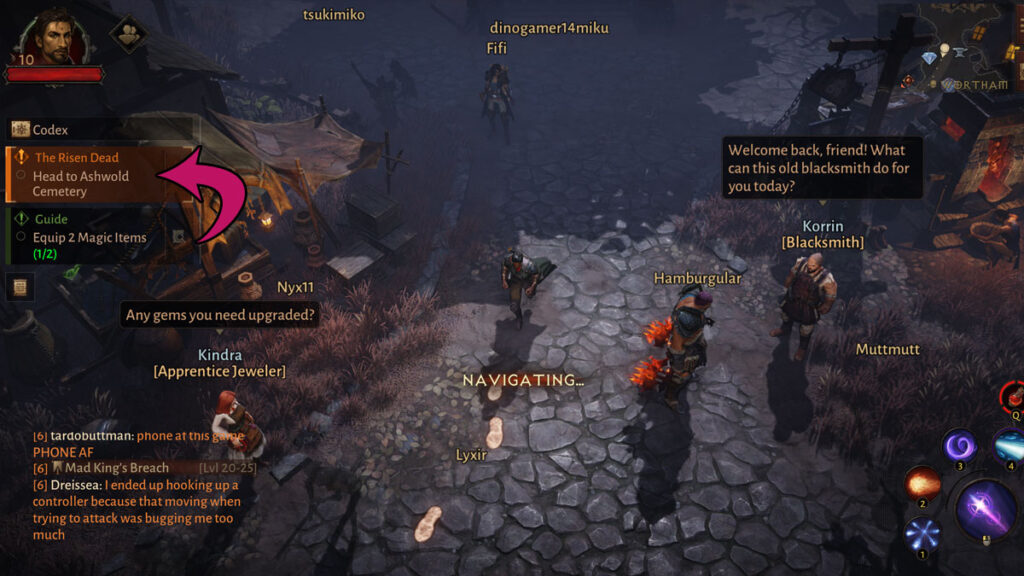
Alternatively, you can also pick where you want your character to run to automatically. To do this you will want to open up your world map, and then click or tap on the location you’d like to end up at. This will prompt you with a “Navigate” button, which you can then press and have your character automatically head to that spot.

It is important to note that your character will not auto-attack or engage in combat while it is navigating. If you run through some tough enemies, you might end up dead if you aren’t paying attention!
You should also know that you can only auto-navigate on maps that have been fully unlocked. If you’re questing in a new area, you won’t be able to use the feature.
That’s everything you need to know about auto-navigating in the game. You can find more guides and information about it in the Diablo Immortal section of our website.

Comments