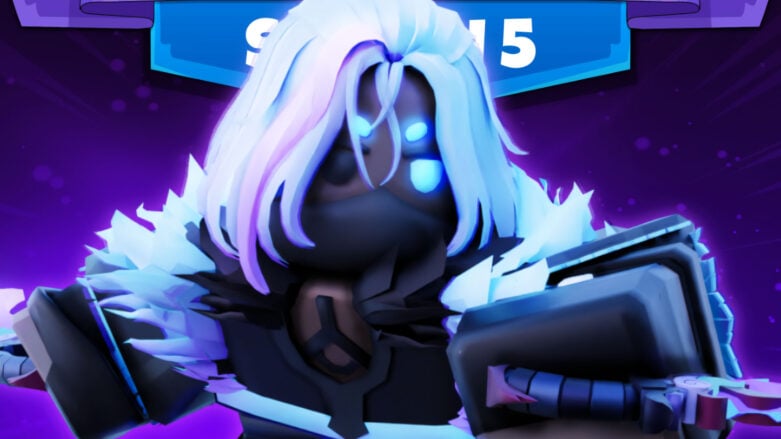
The BedWars Spirit Assassin and Creative Mode update has been released for Roblox BedWars on July 29th, 2022! You can now get the new Spirit Assassin Kit to consume spirits and instantly teleport! There’s also a Tennis Racket item to hit explosive tennis balls at your enemies. Find all of the details in the update log from the developers!
Check out our BedWars Commands List post to learn all of the commands available in the game! You can find all of the official patch notes from the Discord below.
Spirit Assassin [NEW KIT]
Damage enemies to attract nearby spirits. Consume spirits to instantly teleport and gain an attack buff for a short duration.
Tennis Racket [NEW ITEM]
Smack explosive tennis balls at your enemies. Now available in all queues for 2 emeralds.
Map Saves
- Support for updating map save files while keeping the same map join code! An update button now shows up below Map Save cards in the host panel.
- Support for changing team spawn locations /setteamspawn
- Support for creating & managing generators /gen help
- Support for creating & managing shops /shop help
- Improved speed of saving maps with lots of “Default” map blocks
- Fixed the rotation of shop NPCs on saved maps
Creative Mode
This is the mode for map builders! Creative mode is exclusive to custom matches and can be set by hosts with the following commands
- /gm 1
- /gm 1 to apply Creative mode to yourself.
- New Modes: [0 or “pvp”] and [1 or “creative”]
Creative mode also comes with the following perks
- Creative Inventory. Open your inventory regularly to access Creative Inventory.
- Instantly break blocks with any tool
- Placing blocks don’t reduce block count
- Access to EasyEdit Wand
EasyEdit
EasyEdit Wand: Speeds up selecting block regions. This is activated with the Wooden Axe while in Creative mode
- Left Click a block to set Position 1
- Right Click a block to set Position 2
EasyEdit Commands
- Start with prefix //
- //help, //pos1, //pos2, //set , //cut
- //undo & //redo
Free Kits of the Week
- 🍪 Gingerbread Man (FIRST TIME FREE!)
- 🥧 Baker
- 🛡️ Shielder
Be sure to head over to the Roblox BedWars page to try out this new update! You can check out more information on a variety of different experience in the Roblox section of our website.


Comments