How To Skip Open Sticker Pack Animation In Adopt Me

We've got the only way to skip sticker opening animations it in Adopt Me!
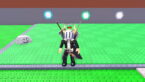
Roblox Adopt Me Sticker Pack Display
Screenshot: Try Hard Guides

You’re not alone if you hate the long animation that plays when you open sticker packs in Adopt Me. It’s been complained about so often that the developers added the ability to skip the process altogether. This guide will explain the steps for skipping the sticker opening animation in Adopt Me.

If you want a bunch of free items and boosts, visit our Adopt Me codes page. You should also check out our guides on How To Favorite Trades, How To Find & Customize Profiles, and all eggs and how to obtain them.

Adopt Me – How To Skip Sticker Animation

First, get a sticker pack from your inventory. Go to your inventory and choose a sticker pack you want to open. Put the sticker pack in your hotbar for easy access. Once it’s in your hotbar, click on the sticker pack icon to start opening it, just like you usually do.

Roblox Adopt Me Sticker Pack Holding
Screenshot: Try Hard Guides

You’ll see the pack appear on screen, this is right before the animation begins. Click the sticker pack to start it, and then quickly double-click it again. This is a total of three clicks in rapid succession. Instead of seeing the animation individually, it will skip to the end and show you everything you’ve earned.

Roblox Adopt Me Sticker Pack Skip
Screenshot: Try Hard Guides

Do not click past the three clicks; otherwise, the whole thing will skip, and you won’t know what stickers you earned. This trick can help you save time if you want to skip the starting animation and check out your new stickers quickly. It’s an easy tip to try out and could be a useful way to speed up your sticker pack openings in Adopt Me.

Jorge A. Aguilar

Jorge A. Aguilar

Jorge A. Aguilar, also known as Aggy, is the current Assigning Editor.

He started his career as an esports, influencer, and streaming writer for Sportskeeda. He then moved to GFinity Esports to cover streaming, games, guides, and news before moving to the Social team where he ended his time as the Lead of Social Content.

He also worked a writer and editor for both Pro Game Guides and Dot Esports, and as a writer for PC Invasion, Attack of the Fanboy, and Android Police. Aggy is the former Managing Editor and Operations Overseer of N4G Unlocked and a former Gaming editor for WePC.

Throughout his time in the industry, he's trained over 100 writers, written thousands of articles on multiple sites, written more reviews than he cares to count, and edited tens of thousands of articles. He has also written some games published by Tales, some books, and a comic sold to Telus International.

More Content

Comments

Leave a Comment

All comments go through a moderation process, and should be approved in a timely manner. To see why your comment might not have been approved, check out our Comment Rules page!

This site is protected by reCAPTCHA and the Google Privacy Policy and Terms of Service apply.