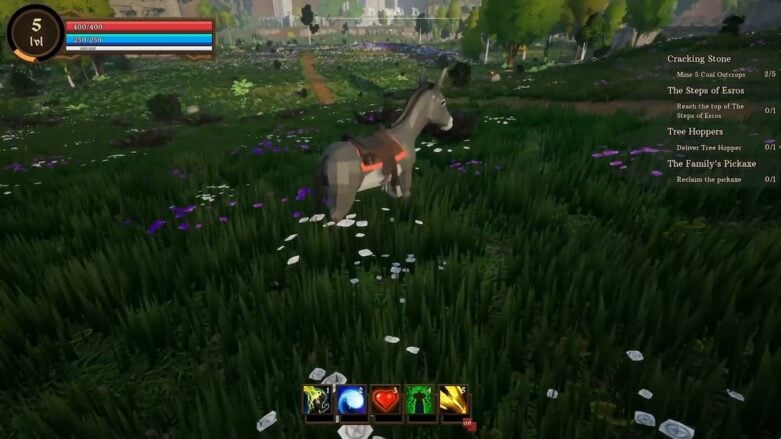
Getting a Mount and riding it in The Bloodline is easy to do once you know how. Unfortunately, the game doesn’t really go over how to bring it out to ride, and it’s very confusing the first time. Below we’ll go over how to summon your mount and then how to ride it.
If you like The Bloodlines and want to know more things that the game doesn’t tell you, you should read our guide on how to sneak. We also highly recommend our guide on how to cure illnesses because it will come in handy since you will catch many illnesses in The Bloodline.
How to summon your mount in The Bloodline
To get your mount out in The Bloodline, you’ll need to access your inventory. Head to your inventory by either pressing I to go straight to your inventory or pressing Esc and then choosing Inventory. From there, click the Mounts button, which is represented by a lion image on the left of the character summary.
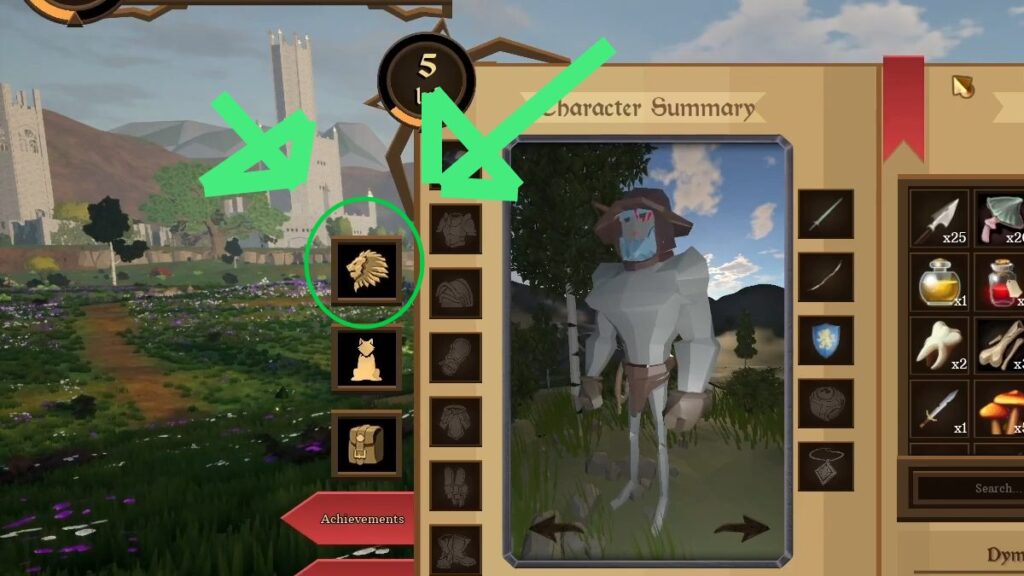
The image above highlights what you need to pick. From there, you can click the Mount you want, and then click the green button with the white arrow that points down. After that, your mount will appear in front of you ready to ride.
How to ride your mount in The Bloodline
To ride your mount, walk up to it and press the E key to mount. Once you press it, your view will change to riding whatever animal you picked. You can still fight with a sword, bow and arrows, and other weapons while mounted. It’s just a bit harder to interact with things because of the change in height from riding on an animal.
In my opinion, this is better done in third-person mode, since you can see the whole mount and it feels more natural. Otherwise, it looks just like it does in Minecraft.

Comments